การแสดงภาพสถาปัตยกรรมคืออะไร และเหตุใดจึงปฏิวัติการสื่อสารการออกแบบ?
ดังนั้น, ข่าวลือเกี่ยวกับอะไร เทคนิคการสร้างภาพสถาปัตยกรรม? พูดง่ายๆ, เป็นศิลปะและวิทยาศาสตร์ในการสร้างภาพและประสบการณ์ที่แสดงให้เห็นว่าอาคารหรือพื้นที่จะมีลักษณะอย่างไร, นานก่อนที่จะมีใครตอกตะปูแม้แต่ตัวเดียว. และทำไมมันถึงเป็นเรื่องใหญ่? เพราะมันเปลี่ยนแปลงวิธีการของสถาปนิกโดยสิ้นเชิง, นักออกแบบ, และลูกค้าพูดคุยและเข้าใจโครงการใหม่ๆ. มันทำให้ทุกอย่างชัดเจนยิ่งขึ้น, น่าตื่นเต้นยิ่งขึ้น, และมีประสิทธิภาพมากยิ่งขึ้น! ทำความเข้าใจกับ การแสดงผลคำจำกัดความของสถาปัตยกรรม เป็นกุญแจสำคัญในการเข้าใจผลกระทบ.
การกำหนดการแสดงภาพสถาปัตยกรรม (อาร์ชวิซ): ศิลปะแห่งการนำการออกแบบมาสู่ชีวิต
อยู่ที่ใจ, ArchViz คือการนำสิ่งที่ยอดเยี่ยมเหล่านั้นไปใช้ (แต่บางครั้งก็ซับซ้อน) แผนสถาปัตยกรรมและเปลี่ยนเป็นสิ่งที่ทุกคนสามารถเข้าใจได้ง่าย. นี่อาจเป็นเรื่องที่น่าทึ่ง 3d การเรนเดอร์สถาปัตยกรรม, เจ๋ง แอนิเมชั่นการสร้างภาพสถาปัตยกรรม ที่แสดงให้คุณเห็นไปรอบๆ, หรือแม้แต่โมเดลเชิงโต้ตอบที่คุณสามารถสำรวจตัวเองได้.
- แนวคิดหลัก: มันคือทั้งหมดที่เกี่ยวกับการสร้างสิ่งเหล่านั้น การออกแบบสถาปัตยกรรมที่นำเสนอมองเห็นได้และเข้าใจได้. ไม่ต้องเดาอีกต่อไปว่าเส้นเหล่านั้นบนพิมพ์เขียวหมายถึงอะไร!
- นอกเหนือจากภาพนิ่ง: ArchViz ไม่ใช่แค่สิ่งเดียวเท่านั้น. มันรวมถึง เทคนิคภาพประกอบทางสถาปัตยกรรม, สมจริงสุดๆ 3D การเรนเดอร์สถาปัตยกรรม, การสร้าง สถาปัตยกรรมแอนิเมชัน 3 มิติ, และแม้แต่การสร้างโมเดลดิจิทัลเชิงโต้ตอบที่คุณสามารถเล่นได้.
- เป้าหมาย: แน่นอน, การทำสิ่งต่างๆ ให้ดูเหมือนจริงเป็นสิ่งสำคัญ. แต่ยังเป็นการทำให้คุณ *รู้สึก* บางสิ่งบางอย่างด้วย. Good ArchViz สามารถกระตุ้นความตื่นเต้นและแสดงให้เห็นอย่างชัดเจนถึงสิ่งที่นักออกแบบพยายามทำให้สำเร็จด้วยสิ่งปลูกสร้างของพวกเขา.
- เชื่อมช่องว่าง: คิดเสียว่าเป็นนักแปล. ใช้ภาษาทางเทคนิคของสถาปนิกและเปลี่ยนให้กลายเป็นเรื่องราวที่ลูกค้ามองเห็นได้, นักลงทุน, และแม้แต่ประชาชนทั่วไปก็สามารถเชื่อมต่อได้อย่างง่ายดาย. สิ่งนี้ช่วยให้ทุกคนเข้าใจตรงกัน.
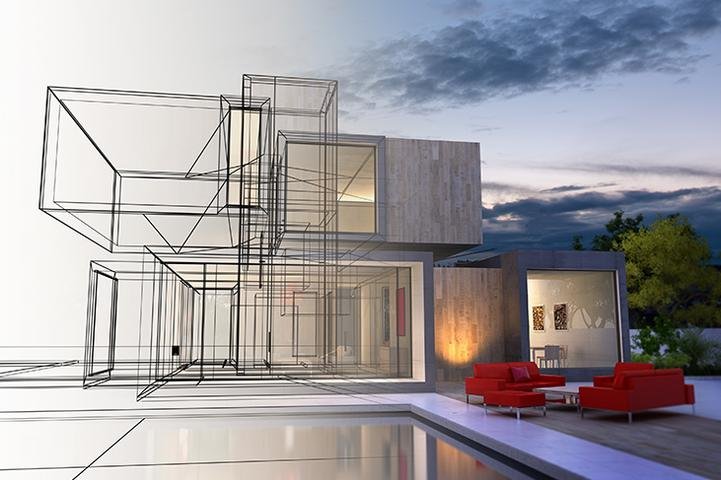
วิวัฒนาการของการแสดงภาพสถาปัตยกรรม: ตั้งแต่การวาดด้วยมือไปจนถึง CGI ขั้นสูง
คุณรู้, การแสดงแนวคิดการสร้างอาคารไม่ใช่เรื่องใหม่. ผู้คนทำกันมาหลายพันปีแล้ว! แต่เด็กผู้ชาย, มีสิ่งต่างๆ เปลี่ยนแปลงไป, โดยเฉพาะอย่างยิ่งกับการเพิ่มขึ้นของ การแสดงภาพสถาปัตยกรรม – 3ภาพเคลื่อนไหว.
- บริบททางประวัติศาสตร์: กลับมาแล้ว, ชาวอียิปต์โบราณได้สร้างแบบจำลองเล็กๆ น้อยๆ ของปิรามิดอันน่าทึ่งของพวกเขา. เมื่อเวลาผ่านไป, สถาปนิกเริ่มเขียนแบบที่มีรายละเอียดมากขึ้น, เหมือนกับพิมพ์เขียวที่เราเห็นในปัจจุบัน. สิ่งเหล่านี้ล้วนเป็นรูปแบบเริ่มต้นของ การแสดงภาพสถาปัตยกรรมที่ไม่ได้สร้างขึ้น.
- ยุคก่อนดิจิทัล: เป็นเวลานาน, สถาปนิกอาศัยภาพวาด 2 มิติ. สิ่งเหล่านี้ยอดเยี่ยมสำหรับผู้สร้าง, แต่บางครั้งมันก็ยากสำหรับลูกค้าที่จะจินตนาการถึงพื้นที่ 3D สุดท้ายจากเส้นแบนๆ บนกระดาษ.
- รุ่งอรุณของ CGI: แล้ว, เกี่ยวกับ 50 หลายปีก่อน, คอมพิวเตอร์เริ่มเปลี่ยนแปลงทุกอย่าง. การเรนเดอร์จากคอมพิวเตอร์ในยุคแรกๆ (ซีจีไอ) ค่อนข้างเทอะทะ, แต่เป็นจุดเริ่มต้นของการปฏิวัติวิธีที่เราเห็นอาคารในอนาคต.
- ภูมิทัศน์ในปัจจุบัน: ก้าวไปข้างหน้าอย่างรวดเร็วในวันนี้, และว้าว! ตอนนี้เราอยู่ในยุคแห่งความเหลือเชื่อ การเรนเดอร์สถาปัตยกรรมเสมือนจริง และประสบการณ์การโต้ตอบที่น่าทึ่งเช่น คำแนะนำแบบ VR ทางสถาปัตยกรรม. มันเหมือนกับการเห็นอนาคต, วันนี้!
ใครใช้ เทคนิคการสร้างภาพสถาปัตยกรรม และเหตุใดจึงมีความสำคัญทั่วทั้งอุตสาหกรรม?
ไม่ใช่แค่สถาปนิกเท่านั้นที่พบว่าเทคนิคเหล่านี้มีประโยชน์อย่างยิ่ง. มืออาชีพมากมายต่างพึ่งพา ArchViz, รวมทั้ง 3d บริการแนะนำแบบสถาปัตยกรรม, เพื่อให้งานของพวกเขาดีขึ้น และทำให้ลูกค้าต้องว้าว.
- สถาปนิก: แน่นอน! พวกเขาใช้มันเพื่อทุกสิ่งตั้งแต่การค้นหารายละเอียดการออกแบบ, การสร้าง 3สถาปัตยกรรมแอนิเมชั่น สำหรับการนำเสนอ, เพื่ออวดแผนการอันน่าทึ่งให้กับลูกค้าและได้รับการอนุมัติ.
- นักออกแบบตกแต่งภายใน: พวกเขาใช้ ArchViz เพื่อสร้างรูปภาพว่าภายในพื้นที่จะมีลักษณะอย่างไร นั่นก็คือเฟอร์นิเจอร์, สี, แสงสว่าง, ทุกอย่าง! ช่วยให้ลูกค้าจินตนาการถึงห้องในฝันของตนเอง.
- นักพัฒนาอสังหาริมทรัพย์และนักการตลาด: หากคุณกำลังพยายามขายอาคารก่อนที่จะสร้างด้วยซ้ำ, การเรนเดอร์ที่สวยงาม, โดยเฉพาะ การเรนเดอร์สถาปัตยกรรมเชิงพาณิชย์, เป็นเพื่อนที่ดีที่สุดของคุณ. พวกเขาสร้างความตื่นเต้นและช่วยให้ผู้คนลงทุนหรือซื้อ.
- บริษัทรับสร้างบ้านและผู้รับเหมา: ภาพที่ชัดเจนทำหน้าที่เป็นแนวทางที่สมบูรณ์แบบ, ช่วยให้พวกเขาสร้างทุกอย่างตรงตามที่วางแผนไว้. ไม่มีการคาดเดาอีกต่อไป!
- ช่างปรับปรุง: เมื่อเปลี่ยนพื้นที่เก่า, ArchViz ช่วยแสดงให้เห็นว่าการออกแบบใหม่จะมีลักษณะอย่างไร และตรวจสอบให้แน่ใจว่าเข้ากันได้กับส่วนที่มีอยู่ของอาคาร.
- นักวางผังเมือง (การวางผังเมือง): ลองจินตนาการถึงการได้เห็นเขตเมืองใหม่ๆ ก่อนที่จะไปถึงที่นั่น! Aerial renderings and visualizations help plan how cities grow and change.
- Beyond Architecture: You’d be surprised! These skills are also used in:
- Video games: To create those cool 3D worlds you explore.
- The automotive industry: To design and show off new car models.
- Film and TV: To create amazing digital sets, often using สถาปัตยกรรมแอนิเมชัน 3 มิติ หลักการ.
- ความจริงเสมือน (VR): To build whole new worlds you can step into, including detailed คำแนะนำแบบ VR ทางสถาปัตยกรรม experiences.
- การออกแบบผลิตภัณฑ์: To create realistic pictures of products for ads. Did you know over half of IKEA’s catalog images are now 3D การเรนเดอร์สถาปัตยกรรม based? Cool, huh?
As you can see, the ability to create these visuals, from static images to full architectural walkthrough animation, is a super valuable skill in many fields!
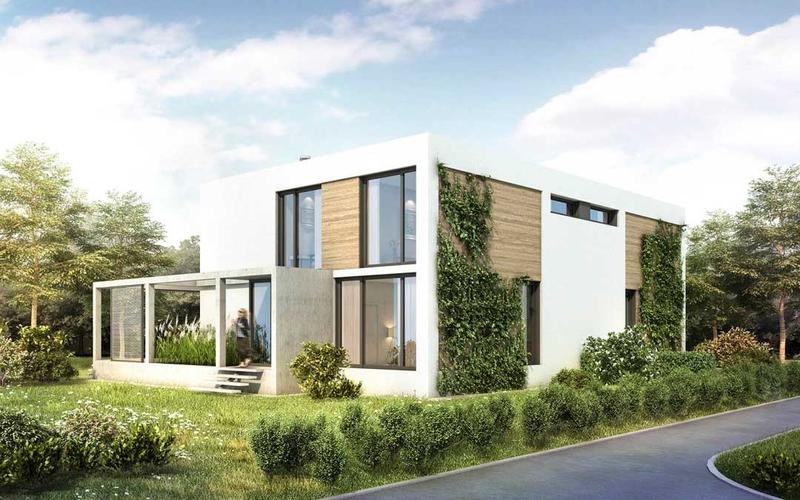
The Indisputable Benefits of Modern เทคนิคการสร้างภาพสถาปัตยกรรม
ดังนั้น, why has ArchViz become such a big deal? เพราะมันมอบข้อได้เปรียบที่ยอดเยี่ยมมากมายสำหรับทุกคนที่เกี่ยวข้องในโครงการ, จากการทำความเข้าใจพื้นฐาน การแสดงผลคำจำกัดความของสถาปัตยกรรม เพื่อชื่นชมความซับซ้อน การแสดงภาพสถาปัตยกรรม – 3ภาพเคลื่อนไหว.
- การสื่อสารที่ได้รับการปรับปรุง: ทำให้การอธิบายแนวคิดการสร้างอาคารที่ซับซ้อนเป็นเรื่องง่ายมาก. ทุกคน, ไม่ว่าพื้นหลังของพวกเขาจะเป็นอย่างไร, สามารถเข้าใจสิ่งที่กำลังวางแผนได้.
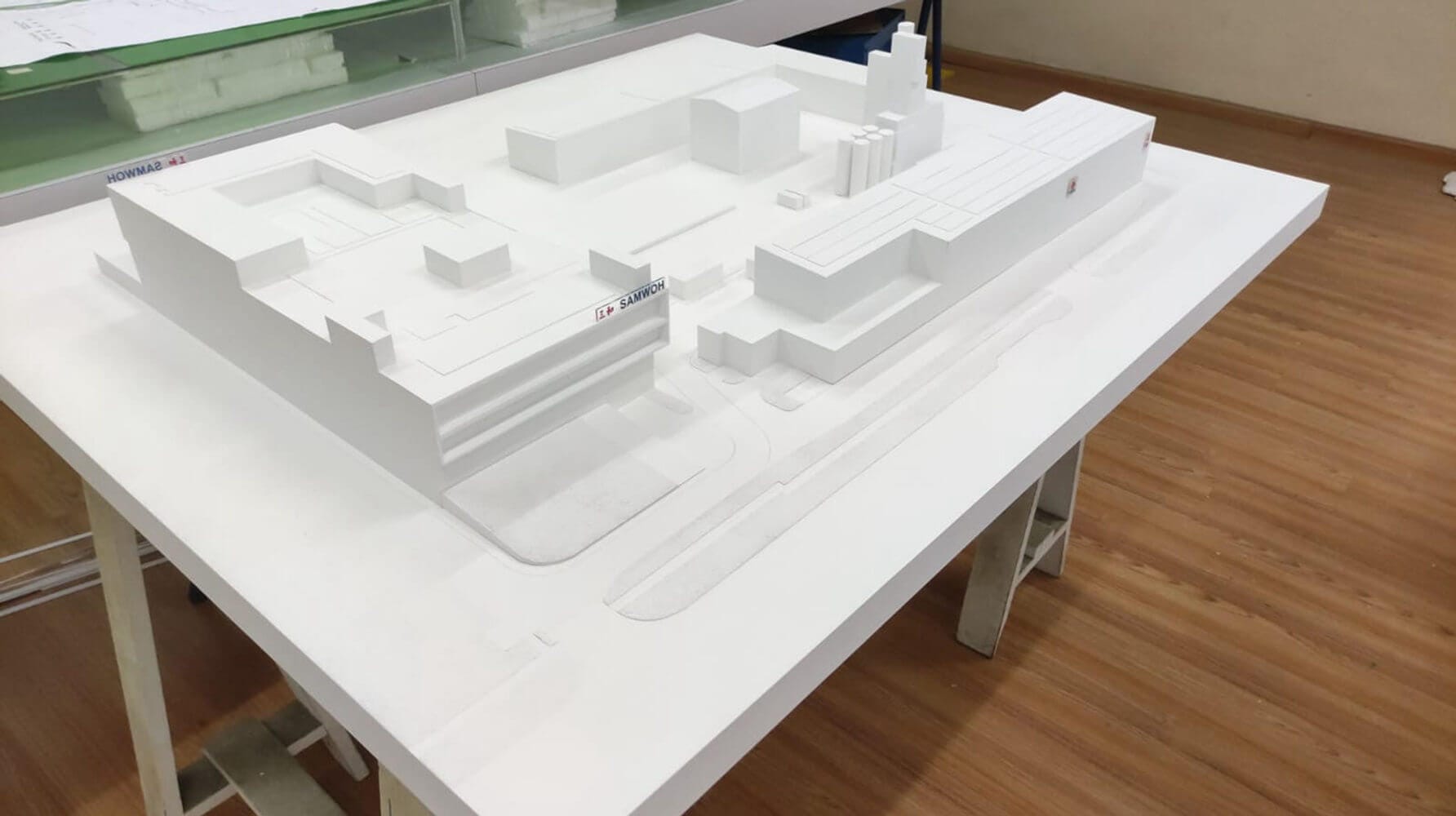
- ความคุ้มทุน: ลองคิดดูสิ: การทำภาพดิจิทัลหรือ แอนิเมชั่นการสร้างภาพสถาปัตยกรรม มักจะถูกกว่าและเร็วกว่าการสร้างแบบจำลองทางกายภาพขนาดใหญ่. บวก, หากคุณพบข้อผิดพลาดในการออกแบบตั้งแต่เนิ่นๆ จากการดูการเรนเดอร์, คุณสามารถแก้ไขได้ก่อนเริ่มการก่อสร้างจริง. ซึ่งช่วยประหยัดเงินและความปวดหัวได้มาก! นี่เป็นส่วนสำคัญของ เหตุใดการเรนเดอร์ 3 มิติจึงมีความสำคัญในการออกแบบสถาปัตยกรรม.
- ปรับปรุงกระบวนการออกแบบ: เมื่อนักออกแบบสามารถเห็นไอเดียของตนกลายเป็นจริงได้ทางสายตา, พวกเขาสามารถตัดสินใจเลือกวัสดุได้ดีขึ้น, ช่องว่างเชื่อมต่อกันอย่างไร, and get useful feedback from clients much earlier.
- Powerful Marketing Tool: Stunning visuals grab attention! They help create exciting presentations, รวมทั้ง การเรนเดอร์สถาปัตยกรรมเชิงพาณิชย์, and can showcase a project to people all over the world.
- Risk Mitigation: Seeing the design clearly in 3D helps catch potential problems—like a wall blocking a nice view or materials that don’t quite work together—before it’s too late and too expensive to change.
- เพิ่มการมีส่วนร่วมของลูกค้า: Imagine letting a client take an คำแนะนำแบบ VR ทางสถาปัตยกรรม of their future home or office, or showing them exactly how sunlight will fill a room at different times of day through an architectural walkthrough animation. This gets clients really involved and excited, and they can give much better feedback. Many now seek 3d บริการแนะนำแบบสถาปัตยกรรม for this reason.
- Consistent Branding: For big companies, ArchViz allows them to use the exact same colors, สไตล์, และคุณสมบัติการออกแบบในวัสดุภาพทั้งหมด, ทำให้แบรนด์ของพวกเขาดูเฉียบคมและสม่ำเสมอ.
เห็นได้ชัดว่าเทคนิคเหล่านี้ไม่ได้เป็นเพียงส่วนเสริมที่หรูหราเท่านั้น; พวกเขาเป็นผู้เปลี่ยนเกมสำหรับวิธีที่เราออกแบบและสร้าง!
ทำความเข้าใจกับสเปกตรัม: ประเภทของ เทคนิคการสร้างภาพสถาปัตยกรรม
ตกลง, ดังนั้นเราจึงรู้ว่า ArchViz นั้นยอดเยี่ยมมาก. แต่มีอะไรบ้างที่แตกต่างกันออกไป? มันไม่ใช่แค่รูปภาพประเภทเดียว. มีทั้งช่วง, ตั้งแต่ภาพวาดธรรมดาๆ ไปจนถึงภาพที่น่าตื่นตาตื่นใจ สถาปัตยกรรมแอนิเมชัน 3 มิติ experiences. มาสำรวจกัน!
การเขียนแบบ 2D พื้นฐาน: พื้นฐานของการสื่อสารการออกแบบ
ทุกอย่างมักจะเริ่มต้นที่นี่. นี่คือภาพวาดแบบเรียบๆ ที่สถาปนิกใช้มานานแล้ว, และยังคงเป็นองค์ประกอบสำคัญอย่างยิ่งสำหรับการพัฒนาขั้นสูง เทคนิคการสร้างภาพสถาปัตยกรรม.
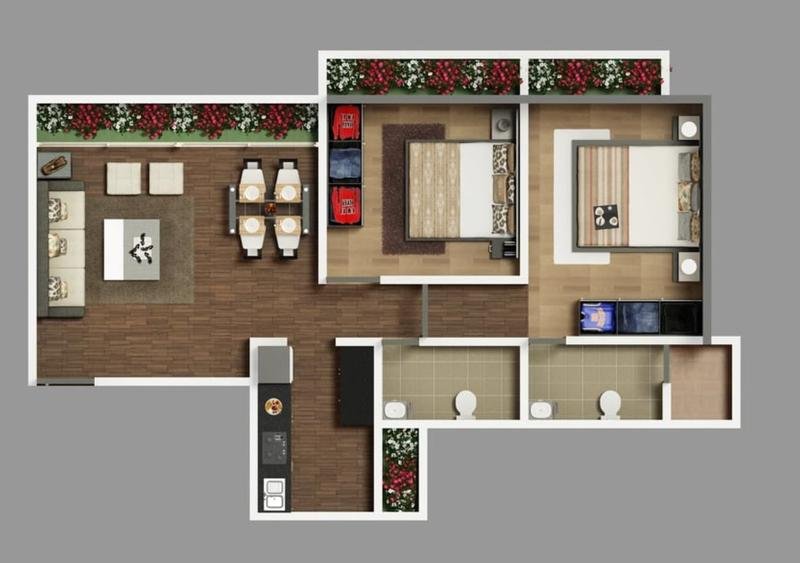
- ภาพวาด 2 มิติคืออะไร? คิดถึงแผนผังชั้น (มุมมองจากบนลงล่างของห้อง), ความสูง (อาคารมีลักษณะอย่างไรเมื่อมองจากภายนอก, เผชิญหน้า), และส่วนต่างๆ (a slice through the building). These are standard documents for any project.
- Information conveyed: They pack in a lot of info! Dates, design details, who approved what, and sometimes even codes for special machines that cut materials (CNC machine code).
- ข้อจำกัด: While great for builders, 2D drawings have fewer ways to show off cool ideas compared to 3D. It can be tricky to test out how a design really works or for people who aren’t architects to fully “get” them.
- What is a 2D floor Plan? It’s like a map of a building’s layout, a really key piece of architectural paperwork.
The World of 3D Modeling: Creating Digital Representations for 3การแสดงผลทางสถาปัตยกรรม
This is where things get three-dimensional! 3D modeling is like sculpting, but on a computer, and it’s the first step towards creating impactful 3D การเรนเดอร์สถาปัตยกรรม.
- คืออะไร 3D modeling in architecture? It means using special computer software to create a digital version of an object or building that has height, width, and depth.
- The process: An artist usually starts with simple shapes, like digital cubes or spheres. แล้ว, they use various tools in the software to push, ดึง, stretch, and carve these shapes until they look like the intended object.
- Adding detail: They can add tiny points to the model and move them around to change its shape. This lets them create incredibly detailed and realistic digital objects.
- การใช้งาน: This isn’t just for buildings! 3D modeling is used in making video games, designing products, creating movie effects, and much more.
Still Renderings: Capturing a Moment in Architectural Design
A still rendering is like a photograph of your unbuilt project. It’s a single, ภาพ 3 มิติแบบคงที่ที่สร้างโดยคอมพิวเตอร์, ผลผลิตหลักของหลาย ๆ คน เทคนิคการสร้างภาพสถาปัตยกรรม.
- รูปแบบต่างๆ: สิ่งเหล่านี้มีตั้งแต่แบบธรรมดา, รูปภาพที่ดูเรียบๆ หรือรูปภาพที่มีเงาพื้นฐาน, ไปจนถึงรายละเอียดสูง การเรนเดอร์สถาปัตยกรรมเสมือนจริง ที่ดูเหมือนภาพถ่ายจริง.
- หมวดหมู่ทั่วไปของภาพนิ่ง การเรนเดอร์สถาปัตยกรรม:
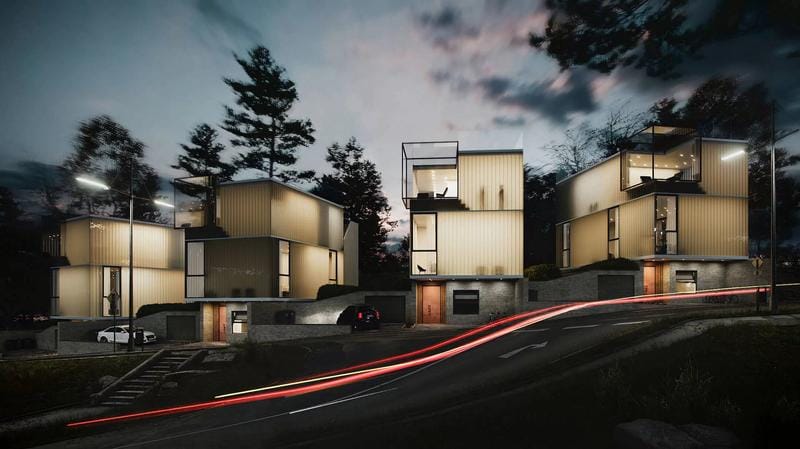
- การเรนเดอร์ภายนอก: สิ่งเหล่านี้แสดงให้เห็นว่าอาคารมีลักษณะอย่างไรเมื่อมองจากภายนอก. ที่ “กล้อง” ถูกวางไว้นอกโครงสร้าง. สิ่งเหล่านี้เป็นเรื่องธรรมดามากใน การเรนเดอร์สถาปัตยกรรมเชิงพาณิชย์.
- การเรนเดอร์ภายใน: ที่นี่, จุดชมวิวอยู่ภายในอาคาร, โชว์ห้องต่างๆ, เฟอร์นิเจอร์, และการออกแบบตกแต่งภายใน.
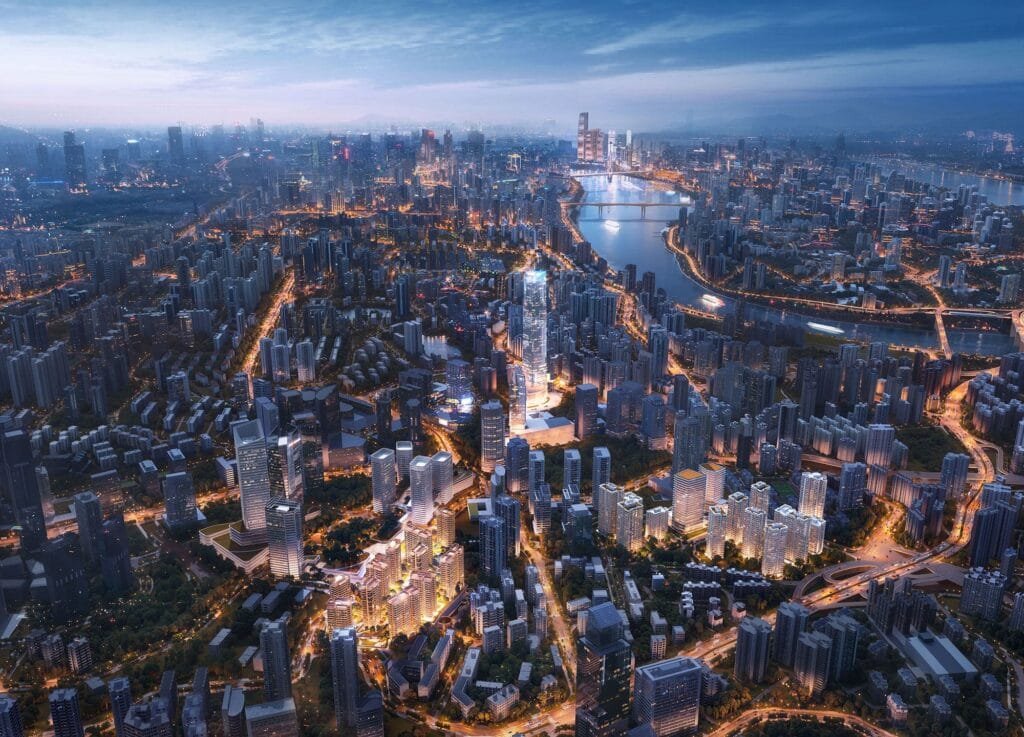
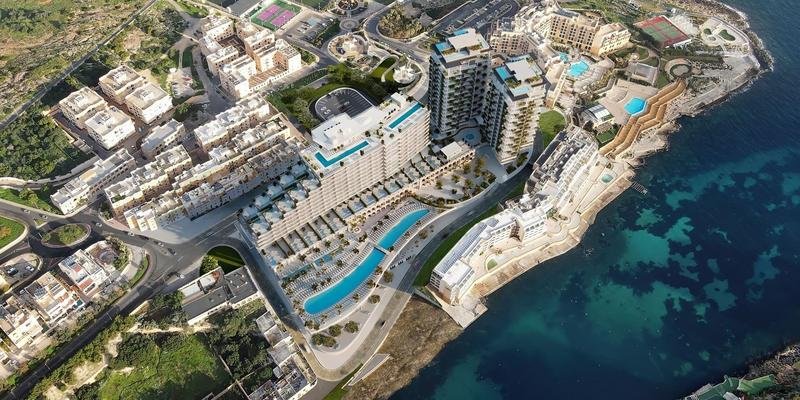
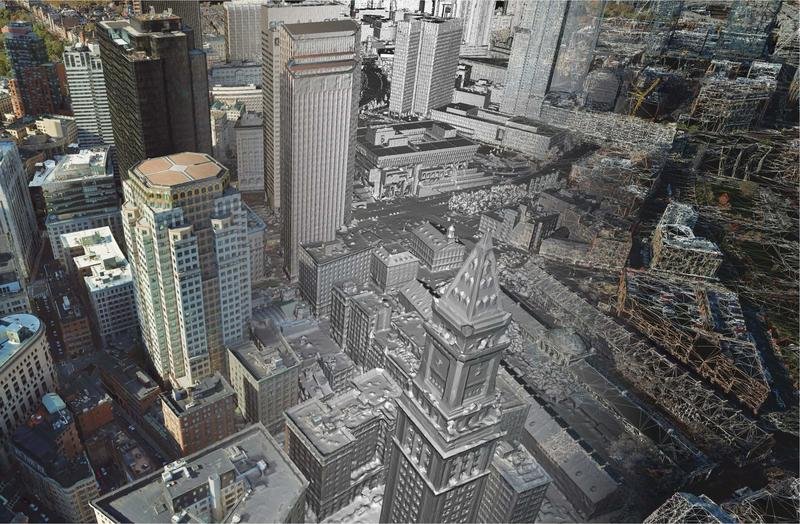
- การเรนเดอร์ทางอากาศ (การสร้างภาพเมือง): ลองจินตนาการถึงมุมมองจากมุมสูง! ที่ “กล้อง” อยู่ภายนอกและเหนืออาคาร, มองลงไป, มักจะเป็นมุม. นี่เป็นวิธีที่ดีในการแสดงให้เห็นว่าอาคารเข้ากับพื้นที่ใกล้เคียงหรือผังเมืองทั้งหมดได้อย่างไร.
- แสงและเงา (วิทยาศาสตร์) ศึกษาการเรนเดอร์: การเรนเดอร์พิเศษเหล่านี้มุ่งเน้นไปที่การแสดงแสงและเงาทั่วทั้งอาคารในช่วงเวลาต่างๆ ของวัน. มีประโยชน์อย่างยิ่งต่อการออกแบบ!
- การเรนเดอร์การปรับปรุงใหม่ (ภาพตัดต่อ): มีอาคารที่มีอยู่ที่คุณต้องการเปลี่ยน? การเรนเดอร์เหล่านี้สามารถแสดงให้เห็นว่าการปรับปรุงที่เสนอจะมีลักษณะอย่างไรโดยการรวมภาพถ่ายของอาคารเก่าเข้ากับการเรนเดอร์ชิ้นส่วนใหม่.
การแสดงภาพแบบไดนามิก: แอนิเมชั่นและประสบการณ์เชิงโต้ตอบ
ทำไมต้องดูภาพในเมื่อคุณสามารถเคลื่อนที่ผ่านอวกาศได้? การสร้างภาพข้อมูลแบบไดนามิก, เช่น การแสดงภาพสถาปัตยกรรม – 3ภาพเคลื่อนไหว และ คำแนะนำแบบ VR ทางสถาปัตยกรรม experiences, ยกระดับสิ่งต่าง ๆ ไปอีกระดับ!
- 3D เกมส์และภาพเคลื่อนไหว Flythrough (ภาพยนตร์): ลองจินตนาการถึงการชมภาพยนตร์เกี่ยวกับอาคารในอนาคตของคุณ! สิ่งนี้สร้างขึ้นโดยการต่อภาพ 3 มิติหลายๆ ภาพเข้าด้วยกันตามลำดับเพื่อสร้างวิดีโอ, มักเรียกกันว่า architectural walkthrough animation. คุณสามารถ “เดิน” ผ่านห้องหรือ “บิน” รอบด้านนอก. สตูดิโอหลายแห่งเสนอ 3d บริการแนะนำแบบสถาปัตยกรรม เพื่อสร้างสิ่งเหล่านี้.
- ทัวร์เสมือนจริง: สิ่งเหล่านี้มักใช้ภาพพาโนรามา (360-ระดับ) ภาพ. คุณสามารถคลิกไปรอบๆ และสำรวจพื้นที่ตามที่คุณต้องการ, มองขึ้นไป, ลง, และทั่วทุกมุม.
- ถ่ายทอดสดเสมือนจริง (VR): นี่คือจุดที่มันดื่มด่ำจริงๆ! คุณสวมแว่นตา VR แบบพิเศษ, และทันใดนั้นคุณก็ *อยู่ภายใน* โลก 3 มิติที่สร้างโดยคอมพิวเตอร์. คุณสามารถเดินไปรอบๆ, ดูรายละเอียด, และรู้สึกเหมือนคุณอยู่ที่นั่นจริงๆ คำแนะนำแบบ VR ทางสถาปัตยกรรม.
- ความเป็นจริงที่เพิ่มขึ้น (อาร์): AR เปรียบเสมือนการเพิ่มเวทมนตร์ดิจิทัลให้กับโลกแห่งความเป็นจริง. การใช้โทรศัพท์หรือแท็บเล็ต, คุณสามารถชี้ไปที่พื้นที่ว่างได้, และโมเดล 3 มิติของอาคารที่วางแผนไว้จะปรากฏบนหน้าจอของคุณ, ตรงจุดนั้นในอนาคต! หรือ, คุณสามารถชี้ไปที่ห้องจริงและดูว่าเฟอร์นิเจอร์เสมือนจริงมีลักษณะแตกต่างกันอย่างไร.
เทียบกับภาพเสมือนจริง. เทคนิคการแสดงภาพที่ไม่สมจริง
ไม่ใช่ว่า ArchViz ทุกคนจะพยายามทำให้ดูเหมือนภาพถ่ายที่สมบูรณ์แบบ. บางครั้ง, สไตล์ศิลปะที่มากขึ้นคือสิ่งที่จำเป็น, แตกต่างไปจากความแม่นยำ การแสดงผลคำจำกัดความของสถาปัตยกรรม ที่เอนเอียงไปสู่ความสมจริง.
- การแสดงภาพที่ไม่สมจริง: แนวทางนี้มักมีจุดมุ่งหมายเพื่อเลียนแบบรูปแบบศิลปะแบบดั้งเดิม, เหมือนภาพวาดสีน้ำ, ภาพวาดหมึก, หรือภาพร่างกราไฟท์. ศิลปินอาจใช้ซอฟต์แวร์เช่น AutoCAD สำหรับเส้นและ Photoshop สำหรับเอฟเฟกต์ทางศิลปะ. จุดเน้นที่นี่มักจะอยู่ที่แนวคิด, อารมณ์, หรือการแสดงออกทางศิลปะโดยเฉพาะ.
- การสร้างภาพสถาปัตยกรรมเสมือนจริง: ทั้งหมดนี้เกี่ยวกับการทำให้มันดูสมจริง! โดยจะใช้เทคนิคคอมพิวเตอร์ขั้นสูงเช่น “การติดตามรังสี” (ซึ่งคำนวณว่าแสงสะท้อนไปรอบๆ แค่ไหน) เพื่อแสดงให้เห็นอย่างแม่นยำว่าแสงมีปฏิกิริยากับพื้นผิวอย่างไร. บ่อยครั้ง, จากนั้นภาพเหล่านี้จะได้รับการปรับแต่งในขั้นตอนหลังการถ่ายทำเพื่อให้ภาพดูน่าทึ่งยิ่งขึ้น. นี่คือเป้าหมายสำหรับคนส่วนใหญ่ การเรนเดอร์สถาปัตยกรรมเชิงพาณิชย์.
การเรนเดอร์ 3D แบบเรียลไทม์: การแสดงภาพและการวนซ้ำทันที
Imagine changing something in your 3D model – like the color of a wall or the type of window – and seeing that change happen instantly on your screen, fully lit and textured! That’s real-time rendering, a powerful aspect of modern เทคนิคการสร้างภาพสถาปัตยกรรม.
- คำนิยาม: It’s software that lets you see a high-quality, rendered view of your 3D model that updates immediately as you make changes.
- ประโยชน์: This is amazing for designers because it allows for super-fast design changes and experimentation. Clients can also see different options live, making for quicker decisions and better collaboration.
Panoramic Architectural Renderings: 360-Degree Immersive Views
A panoramic rendering gives you a complete, wraparound view of a space from a single point. มันเหมือนกับการยืนอยู่กลางห้องแล้วหันหัวเป็นวงกลมได้.
- สร้างความรู้สึกดื่มด่ำ: สิ่งเหล่านี้มักใช้เพื่อสร้างทัวร์เสมือนจริงเชิงโต้ตอบที่เราพูดถึง, ให้คุณสำรวจทุกซอกทุกมุม.
มีตัวเลือกอะไรบ้าง, ขวา? แต่ละอย่างนี้ เทคนิคการสร้างภาพสถาปัตยกรรม, including detailed 3d การเรนเดอร์สถาปัตยกรรม, มีจุดแข็งในตัวเอง และได้รับเลือกตามสิ่งที่โครงการต้องการแสดงและใครคือผู้ที่ทำ.
สำคัญ เทคนิคการเรนเดอร์สถาปัตยกรรม: วิธีทำให้การออกแบบของคุณมีชีวิตชีวา
ใช้ได้, เราได้เห็นแล้ว “อะไร,” ตอนนี้เรามาเข้าเรื่องกันดีกว่า “ยังไง”! การสร้างภาพที่น่าทึ่งเหล่านี้ต้องใช้เทคนิคเจ๋งๆ บางอย่าง. คิดว่าสิ่งเหล่านี้เป็นส่วนผสมลับที่ศิลปินใช้ในการออกแบบสถาปัตยกรรม, รวมถึงความซับซ้อน 3สถาปัตยกรรมแอนิเมชั่น, เด้งออกจากหน้าจอหรือหน้า.
มูลนิธิ: การสร้างแบบจำลอง 3 มิติที่สมจริงสำหรับ การแสดงภาพสถาปัตยกรรม
ทุกอย่างเริ่มต้นด้วยโมเดล 3 มิติที่ดี. นี่คือโครงกระดูกดิจิทัลของอาคารหรือพื้นที่ของคุณ. จำนวนรายละเอียดในรุ่นนี้สามารถสร้างความแตกต่างอย่างมากในรอบสุดท้าย 3D การเรนเดอร์สถาปัตยกรรม.
- การสร้างแบบจำลองรายละเอียดสูง: นี่เหมือนกับการเป็นประติมากรดิจิทัลที่มีความแม่นยำสูง. ทุกสิ่งเล็กๆ น้อยๆ ได้รับการออกแบบมาเพื่อให้ดูใกล้เคียงกับชีวิตจริงมากที่สุด.
- คุณจะเห็นความใส่ใจอย่างพิถีพิถันต่อรูปลักษณ์ของพื้นผิว (พื้นผิว), สิ่งของที่ทำมาจากอะไร (วัสดุ), และแสงตกกระทบพวกเขาอย่างไร.
- รายละเอียดประเภทนี้ถือเป็นสิ่งสำคัญหากคุณต้องการสร้างภาพที่ทำให้ต้องอ้าปากค้าง บทสรุปทางสถาปัตยกรรมและภาพเคลื่อนไหวที่สมจริง.
- รายละเอียดต่ำ, การสร้างแบบจำลองแนวคิด: บางครั้ง, โดยเฉพาะในช่วงแรกของการออกแบบ, คุณไม่จำเป็นต้องมีรายละเอียดเล็กๆ น้อยๆ ทั้งหมด.
- โมเดลเหล่านี้ใช้รูปทรงพื้นฐานมากกว่าและอาจมีพื้นผิวที่เรียบง่ายกว่า. เป้าหมายหลักคือการแสดงแนวคิดหรือแนวคิดโดยรวมอย่างรวดเร็ว.
- พวกเขาอาจดูไม่สมจริงมากนัก, but they’re great for brainstorming and trying out different ideas fast. Not the best for the final shiny presentation, แม้ว่า!
- ระดับรายละเอียด (ลอด): Smart artists vary how much detail they put in based on what stage the project is in. For quick first ideas, simpler is fine. For the big final client presentation for การเรนเดอร์สถาปัตยกรรมเชิงพาณิชย์, you want all those gorgeous intricate details on materials, คุณสมบัติทางสถาปัตยกรรม, และพื้นผิว!

Mastering Lighting and Shadows (วิทยาศาสตร์) for Depth and Realism
Light is everything in a picture! It’s what creates the mood, shows off the shapes, and makes things look three-dimensional and real. This is a cornerstone of effective เทคนิคการสร้างภาพสถาปัตยกรรม and vital for a clear การแสดงผลคำจำกัดความของสถาปัตยกรรม of realism.
- The fundamental role of lighting: Good lighting can make a space feel warm and cozy, or bright and airy, or even dramatic and mysterious. ยังช่วยให้เรามองเห็นพื้นผิวและรูปทรงของอาคารอีกด้วย.
- เทียบกับธรรมชาติ. แสงประดิษฐ์: ศิลปินต้องเก่งในการแกล้งทำทั้งสองอย่าง!
- แสงธรรมชาติ (เหมือนแสงแดด) สามารถทำให้พื้นที่รู้สึกเปิดกว้างและเชื่อมต่อกับภายนอกได้.
- แสงประดิษฐ์ (เช่นโคมไฟและสปอตไลท์) สามารถเพิ่มความอบอุ่นได้, สร้างจุดโฟกัส, หรือทำให้ฉากดูดราม่า, โดยเฉพาะตอนกลางคืน.
- เทคนิคการจัดแสงขั้นสูงสำหรับชั้นบนสุด เทคนิคการสร้างภาพสถาปัตยกรรม:
- การส่องสว่างระดับโลก (จีไอ): คำที่เพ้อฝันนี้หมายความว่าซอฟต์แวร์จะพิจารณาว่าแสงสะท้อนไปมาในห้องได้อย่างไร, เช่นเดียวกับในชีวิตจริง. ทำให้แสงดูเป็นธรรมชาติมากขึ้น, โดยเฉพาะความนุ่มนวล, แสงทางอ้อม.
- การถ่ายภาพช่วงไดนามิกสูง (เอชดีอาร์ไอ): ซึ่งเกี่ยวข้องกับการใช้ภาพถ่ายพาโนรามาพิเศษที่เก็บข้อมูลแสงได้หลากหลาย. จากนั้นภาพถ่ายเหล่านี้จะถูกนำมาใช้เพื่อจัดแสงให้กับฉาก 3 มิติ, ทำให้แสงสะท้อนและแสงโดยรวมดูสมจริงอย่างไม่น่าเชื่อ.
- เรย์ เทรซซิ่ง: นี่เป็นวิธีที่ชาญฉลาดอย่างยิ่งสำหรับคอมพิวเตอร์ในการคำนวณว่ารังสีแสงเดินทางอย่างไร, กระเด็นออกจากพื้นผิว, ผ่านกระจก (การหักเหของแสง), และสร้างเงา. นี่เป็นกุญแจสำคัญสำหรับการสะท้อนและเงาที่สมจริงอย่างยิ่ง 3D การเรนเดอร์สถาปัตยกรรม.
- การบดเคี้ยวโดยรอบ: ซึ่งจะช่วยสร้างความนุ่มนวลเหล่านั้น, เงาเล็กๆ น้อยๆ ที่คุณเห็นในมุมและบริเวณที่วัตถุมาบรรจบกัน. มันเพิ่มสัมผัสที่ดีของความสมจริง.
- การปรับแต่งแบบละเอียด: ไม่ใช่แค่การเปิดหรือปิดไฟเท่านั้น. ศิลปินจะปรับความสว่างอย่างระมัดระวังและสามารถสร้างการไล่ระดับสีได้ (เปลี่ยนจากสว่างเป็นมืดได้อย่างราบรื่น) เพื่อเน้นส่วนสำคัญของการออกแบบ, เหมือนกำแพงสำเนียง, หรือเพื่อแสดงให้เห็นว่าแสงและอากาศจะไหลผ่านที่พักได้อย่างไร.
- เคล็ดลับจากผู้เชี่ยวชาญ: Lasse Rode จาก xoio studio ชี้ให้เห็น, “โลกแห่งความเป็นจริงเป็นสถานที่ที่มีการสะท้อนกลับอย่างมาก!” ดังนั้น, การทำให้แน่ใจว่าวัสดุของคุณสะท้อนแสงอย่างเหมาะสมถือเป็นสิ่งสำคัญอย่างยิ่งสำหรับความสมจริง.
Getting the lighting just right is a true art form, and it’s what separates a good rendering from a truly breathtaking one. For those looking to dive deeper, การสำรวจ lighting rendering tips for architectural visualization can be incredibly beneficial.
Texture Mapping and Material Representation: Achieving Surface Realism in 3การแสดงผลทางสถาปัตยกรรม
If lighting is the mood, then textures and materials are the “รู้สึก” of your architectural visualization. This is about making surfaces look like they’re made of real stuff – wood, คอนกรีต, โลหะ, ผ้า, you name it! This is especially critical for high-quality 3D การเรนเดอร์สถาปัตยกรรม.
- Giving surfaces a realistic look: This involves “texture mapping,” which is like digitally wrapping a picture of a material (like wood grain or brick pattern) around a 3D object.
- Tools for accurate materials are vital for professional เทคนิคการสร้างภาพสถาปัตยกรรม:
- Chaos Scans: This is some seriously cool tech! It involves using highly detailed scans of real-world materials. These scans capture not just the color and pattern, but also how the material physically reacts to light. This means you get incredibly precise details for things like fabrics, marble, or metallic finishes.
- Chaos Cosmos / V-Ray Material Libraries: Imagine having a huge digital warehouse full of ready-to-use, photorealistic materials and 3D objects (like furniture or plants). That’s what these libraries offer. It saves artists a ton of time from having to create everything from scratch.
- Techniques for enhancing surface depth:
- Bump Mapping: This is a clever trick to make a flat surface look like it has small bumps and details (like the roughness of concrete or the grain in wood) โดยไม่ต้องเปลี่ยนรูปร่าง 3 มิติของวัตถุจริงๆ. มันแค่แกล้งทำเป็นแสงที่ตกกระทบมัน.
- การทำแผนที่การกระจัด: นี่คือขั้นสูงกว่า. *จริงๆ แล้ว* จะเปลี่ยนรูปร่าง 3 มิติของพื้นผิวตามแผนผังพื้นผิว. สิ่งนี้สามารถสร้างความลึกที่สมจริงมากสำหรับสิ่งต่างๆ เช่น กำแพงหินหรือผ้าที่มีพื้นผิวหนา.
- เฉดเดอร์เฉพาะทาง: บางครั้ง, สำหรับวัสดุที่ยุ่งยากจริงๆ เช่น ผิวหนังมนุษย์ (หากคุณกำลังเพิ่มผู้คน) หรือข้าวเหนียว, สิ่งที่โปร่งแสง, ศิลปินใช้โปรแกรมคอมพิวเตอร์พิเศษที่เรียกว่า “เฉดสี” เพื่อให้พวกเขาดูถูกต้อง.
- ความสำคัญของคุณสมบัติพื้นผิว: ตรวจสอบให้แน่ใจว่าวัสดุมีความเงางามในปริมาณที่เหมาะสม (การสะท้อนแสง) และความเรียบเนียน (ความมันวาว) เป็นกุญแจสำคัญ. โลหะขัดเงาควรดูแตกต่างจากโลหะหยาบมาก, ไม้ที่ไม่ได้ทาสี.
เมื่อพื้นผิวและวัสดุทำได้ดี, คุณเกือบจะรู้สึกเหมือนว่าคุณสามารถเอื้อมมือและสัมผัสพวกเขาได้!

การจัดองค์ประกอบกล้องและการเลือกมุม: การนำสายตาของผู้ชมเข้ามา การแสดงภาพสถาปัตยกรรม – 3D.แอนิเมชั่น และภาพนิ่ง
เช่นเดียวกับช่างภาพฝีมือดีที่คิดอย่างรอบคอบเกี่ยวกับจุดยืนและสิ่งที่จะรวมไว้ในภาพ, ศิลปิน ArchViz จำเป็นต้องเลือกสิ่งที่ดีที่สุด “กล้อง” มุมและจัดฉากอย่างพิถีพิถัน. นี่เป็นส่วนสำคัญของการมีประสิทธิผล เทคนิคการสร้างภาพสถาปัตยกรรม, กระทบทั้งภาพนิ่งและไดนามิก การแสดงภาพสถาปัตยกรรม – 3ภาพเคลื่อนไหว.
- จัดวางฉากให้ถูกต้อง: ซึ่งเกี่ยวข้องกับการใช้หลักการจากการถ่ายภาพและการถ่ายภาพยนตร์เพื่อทำให้ภาพดูดีและบอกเล่าเรื่องราว.
- เทคนิคการจัดองค์ประกอบเพื่อเพิ่มความของคุณ เทคนิคการสร้างภาพสถาปัตยกรรม:
- เส้นนำ: การใช้เส้นในฉาก (เหมือนถนน, เส้นทาง, หรือขอบอาคาร) เพื่อดึงดูดสายตาของผู้ชมไปยังส่วนที่สำคัญที่สุดของภาพ.
- กฎข้อที่สาม: ลองนึกภาพการแบ่งภาพของคุณออกเป็น 3×3 ตาราง. การวางองค์ประกอบสำคัญตามเส้นเหล่านี้หรือที่จุดตัดมักทำให้ได้ภาพที่สมดุลและน่าสนใจยิ่งขึ้น.
- จุดโฟกัส: มีสิ่งสำคัญหนึ่งหรือสองประการที่คุณต้องการให้ผู้ดูดู, และจัดเตรียมทุกสิ่งทุกอย่างเพื่อรองรับจุดโฟกัสเหล่านั้น.
- การเลือกเส้นผ่านศูนย์กลางเลนส์ที่เหมาะสม: เมื่อตั้งค่ากล้องเสมือน, สิ่งสำคัญคือต้องหลีกเลี่ยงการใช้เลนส์ที่กว้างเกินไป (เหมือนเลนส์ฟิชอาย) เว้นแต่ว่าคุณกำลังมุ่งหวังให้เกิดผลเฉพาะเจาะจง. เลนส์ที่มีความกว้างมากเกินไปอาจทำให้ภาพบิดเบี้ยวและทำให้ดูไม่เป็นธรรมชาติได้, ลดคุณภาพของคุณ ภาพสถาปัตยกรรมแนวความคิด. เลนส์ที่มีโฟกัสมากกว่ามักจะให้ผลลัพธ์ที่ดีกว่า.
- ผลกระทบของการเลือกกล้อง: มุมกล้องสามารถเปลี่ยนวิธีมองเห็นอาคารของคุณได้โดยสิ้นเชิง. มุมต่ำสามารถทำให้ดูสูงและทรงพลังได้. มุมสูงสามารถแสดงให้เห็นว่าภาพนี้เข้ากับทิวทัศน์ได้อย่างไร. มีการเลือกมุมที่แตกต่างกันเพื่อแสดงคุณสมบัติที่เป็นเอกลักษณ์, พื้นที่เปิดโล่ง, หรือสิ่งเล็กๆเหล่านั้น, รายละเอียดที่ซับซ้อนในการออกแบบตกแต่งภายใน. ตัวเลือกเหล่านี้มีความสำคัญอย่างยิ่งต่อการมีส่วนร่วม architectural walkthrough animation.
มุมกล้องที่เลือกสรรมาอย่างดีไม่ได้แสดงเฉพาะอาคารเท่านั้น; มันบอกคุณว่าจะดูที่ไหนและสิ่งที่สำคัญ.
หลังการประมวลผล: การขัดเงาขั้นสุดท้ายสำหรับการเรนเดอร์ระดับมืออาชีพและ แอนิเมชั่นการแสดงภาพสถาปัตยกรรม
แม้ว่าการเรนเดอร์ 3D หลักจะเสร็จสิ้นแล้วก็ตาม, งานยังไม่เสร็จดีนัก! กระบวนการหลังการประมวลผลเปรียบเสมือนการขัดเงาและความแวววาวขั้นสุดท้ายที่ทำให้ภาพของคุณเปล่งประกายอย่างแท้จริง. ขั้นตอนนี้สำคัญมากสำหรับทั้งภาพนิ่งและเฟรมของภาพ แอนิเมชั่นการสร้างภาพสถาปัตยกรรม.
- การใช้ซอฟต์แวร์เช่น Adobe Photoshop และ Illustrator: สิ่งเหล่านี้เป็นเครื่องมือมาตรฐานอุตสาหกรรมสำหรับการปรับปรุงและปรับแต่งการแสดงภาพหลังจากออกมาจากซอฟต์แวร์เรนเดอร์ 3D.
- การปรับเปลี่ยนที่สำคัญ:
- ความสมดุลของสี & ตัดกัน: ปรับแต่งสีให้โดดเด่น, ช่วยให้มั่นใจได้ถึงความแตกต่างที่ดีระหว่างบริเวณที่สว่างและมืดเพื่อให้ภาพดูโดดเด่น.
- ความสว่าง: ตรวจสอบให้แน่ใจว่าภาพได้รับการเปิดรับแสงอย่างสมบูรณ์แบบ, ไม่มืดเกินไปหรือสีซีดจนเกินไป.
- การเพิ่มเอฟเฟกต์บรรยากาศ: ซึ่งอาจรวมถึงสิ่งต่างๆ เช่น หมอกบางๆ, แสงแดดที่สมจริงส่องผ่านหน้าต่าง, หรือแม้แต่แสงแฟลร์เพื่อเพิ่มคุณภาพระดับภาพยนตร์.
- องค์ประกอบคอมโพสิต: บ่อยครั้ง, ศิลปินจะเพิ่มองค์ประกอบเช่นรูปภาพของผู้คน, พืชพรรณอันเขียวชอุ่ม, หรือแม้แต่รวมอาคารที่แสดงผลทั้งหมดไว้ในรูปถ่ายจริงของไซต์ในระหว่างขั้นตอนหลังการประมวลผล.
- การเรียนรู้แผ่นการนำเสนอ: สำหรับสถาปนิก, Photoshop is also invaluable for creating beautifully laid-out presentation boards that effectively combine renderings, plans, and text.
Post-processing is where an artist can really add their signature touch and elevate a good render to an exceptional one, ensuring all เทคนิคการสร้างภาพสถาปัตยกรรม employed culminate in a polished final product.
Animation and Simulation Tools for Dynamic เทคนิคการสร้างภาพสถาปัตยกรรม
Moving beyond static images, สถาปัตยกรรมแอนิเมชัน 3 มิติ allows for a much more dynamic and engaging way to experience a design. Specialized tools and techniques are used to create these moving pictures.
- Creating sequenced 3D images into video: The core of an architectural walkthrough animation or flythrough involves rendering hundreds or thousands of individual still frames, each showing a slightly different viewpoint. When played in sequence, these create the illusion of motion.
- Simulating interactions and experiences: Animations can show how light changes throughout the day in a space, how people might move through and use different areas, or even simulate environmental factors.
- Merging real video footage with 3D models: A powerful technique involves filming a real location (perhaps with a drone) and then seamlessly integrating the 3D model of the proposed building into that live-action footage. This provides incredible contextual realism. The TALLBOX holiday property example illustrates this perfectly.
- Software for animation: Many of the core rendering software packages like Chaos Corona, วี-เรย์, and especially game engines like Unreal Engine 5, along with tools like Twinmotion and Lumion, offer robust features for creating stunning การแสดงภาพสถาปัตยกรรม – 3ภาพเคลื่อนไหว. Each has its own strengths, whether for photorealism, real-time feedback, or ease of use.
Exploring 3d บริการแนะนำแบบสถาปัตยกรรม can provide clients with these highly effective and immersive presentations.
Incorporating Mapping Technologies for Enhanced Context in เทคนิคการสร้างภาพสถาปัตยกรรม
To give an even more comprehensive understanding of how a project fits into its real-world surroundings, especially for larger urban projects or aerial views, advanced mapping technologies are increasingly being used.
- Street Mapping and Geographical Information Systems (GIS): These technologies provide accurate data and imagery of existing urban environments and landscapes.
- Placing designs in context: By integrating architectural 3D models with GIS data or detailed street mapping, visualizers can create highly accurate aerial renderings and urban visualizations. This shows precisely how a new development will interact with existing roads, อาคาร, and natural features.
- Benefits for clients: บริบทนี้นำเสนอลูกค้า, ผู้วางแผน, และสาธารณชนมีมุมมองที่ชัดเจนและครอบคลุมมากขึ้นเกี่ยวกับผลกระทบโดยรวมของโครงการและความสัมพันธ์กับสภาพแวดล้อม.
ชุดเครื่องมือดิจิทัล: ซอฟต์แวร์ที่จำเป็นสำหรับ เทคนิคการสร้างภาพสถาปัตยกรรม
สร้างภาพที่น่าทึ่งทั้งหมดนี้, จากแบบคงที่ 3D การเรนเดอร์สถาปัตยกรรม ซับซ้อน การแสดงภาพสถาปัตยกรรม – 3ภาพเคลื่อนไหว, ต้องใช้คลังเครื่องมือดิจิทัลที่ซับซ้อน. ศิลปินและนักออกแบบพึ่งพาซอฟต์แวร์คอมพิวเตอร์ที่มีประสิทธิภาพในทุกขั้นตอนของกระบวนการ, ตั้งแต่การสร้างแบบจำลอง 3 มิติเบื้องต้นไปจนถึงการปรับแต่งภาพขั้นสุดท้ายและภาพเคลื่อนไหว. มาดู MVP กันบ้าง (โปรแกรมที่คุ้มค่าที่สุด!) ในโลก ArchViz.
ซอฟต์แวร์ Core CAD และ 2D Drafting
ก่อนที่คุณจะสามารถสร้างในแบบ 3 มิติได้, คุณมักจะต้องมีแผน 2D ที่มั่นคง. โปรแกรมเหล่านี้เป็นกำลังสำคัญสำหรับระยะเริ่มแรกนั้น.
- AutoCAD (ออโตเดสก์): นี่เป็นมาตรฐานอุตสาหกรรมที่สมบูรณ์สำหรับการร่าง 2D. Architects use it to create those detailed floor plans, ความสูง, และส่วนต่างๆ. Fun fact: newer versions of AutoCAD are even using machine learning to help automate common tasks!
การสร้างแบบจำลองข้อมูลอาคาร (บีไอเอ็ม) ซอฟต์แวร์
BIM is a smarter way to design. It’s not just about drawing lines; it’s about creating intelligent 3D models packed with information.
- การทบทวน (ออโตเดสก์): A hugely popular BIM software that lets architects create 3D models where elements (like walls, ประตู, หน้าต่าง) have real-world properties and relationships. This is amazing for coordinating designs, creating accurate documentation, and collaborative planning. It’s a powerhouse for detailed 3D การเรนเดอร์สถาปัตยกรรม โครงการ.
- ArchiCAD (Graphisoft): Another leading BIM software specially designed with architects in mind. It allows for the creation of detailed 3D models and helps extract all sorts of useful information for construction. Some users prefer its interface, โดยเฉพาะสำหรับงานร่าง 2D ภายในสภาพแวดล้อม BIM.
ซอฟต์แวร์การสร้างแบบจำลอง 3 มิติอเนกประสงค์
สิ่งเหล่านี้คือเครื่องมือที่การแกะสลักแบบดิจิทัลเกิดขึ้นจริง, ที่สร้างพื้นฐานให้กับหลายๆ คน เทคนิคการสร้างภาพสถาปัตยกรรม.
- SketchUp: เป็นที่รู้จักว่าใช้งานง่ายมาก, SketchUp เป็นโปรแกรมที่ยอดเยี่ยมสำหรับการสร้างแบบจำลอง 3 มิติตามแนวคิดและการออกแบบการแสดงภาพอย่างรวดเร็ว. นอกจากนี้ยังมีคลังปลั๊กอินและส่วนขยายขนาดใหญ่อีกด้วย, รวมถึงอันเจ๋งๆ ที่ขับเคลื่อนด้วย AI ด้วย, เพื่อขยายขีดความสามารถ. จุดเริ่มต้นที่ดีสำหรับ 3สถาปัตยกรรมแอนิเมชั่น แนวคิด.
- แรด (แรด): หากคุณต้องการสร้างที่ซับซ้อนจริงๆ, โค้ง, รูปร่างอินทรีย์, Rhino คือการเดินทางของคุณ. เป็นเครื่องมืออันทรงพลังสำหรับการออกแบบแนวคิดและการจัดการเรขาคณิต 3 มิติขั้นสูง. คุณมักจะเห็นมันถูกใช้โดยบริษัทชั้นนำอย่าง Zaha Hadid Architects, มักจับคู่กับเครื่องมือออกแบบพาราเมตริก เช่น Grasshopper.
- 3ds max (ออโตเดสก์): รุ่นเฮฟวี่เวทที่แท้จริงในโลก 3 มิติ. 3ds Max is incredibly powerful for detailed 3D modeling, creating sophisticated animations (essential for แอนิเมชั่นการสร้างภาพสถาปัตยกรรม), and producing photorealistic renderings for both exteriors and interiors.
- เครื่องปั่น: The amazing thing about Blender is that it’s free and open-source, yet it packs a mighty punch with professional-grade features for 3D modeling, ความเคลื่อนไหว, และการเรนเดอร์. It’s become a very popular choice, especially for budget-conscious professionals and independent artists, and is fully capable of producing high-quality การแสดงภาพสถาปัตยกรรม – 3ภาพเคลื่อนไหว.
Dedicated Rendering Engines and Real-Time Visualization Software
Once the 3D model is built, these are the engines that “take the picture” or create the interactive experience, applying realistic lighting and materials. The choice of render engine heavily influences the final look of any 3D การเรนเดอร์สถาปัตยกรรม.
| ซอฟต์แวร์การแสดงผล | Key Strengths & Use Cases for เทคนิคการสร้างภาพสถาปัตยกรรม |
|---|---|
| วี-เรย์ (ความวุ่นวาย) | Industry-leading plugin for photorealism. ทำงานร่วมกับ SketchUp, 3ds max, แรด, การทบทวน, ฯลฯ. โดดเด่นในเรื่องการจัดแสงที่สมจริง, วัสดุที่ซับซ้อน, และภาพนิ่งและภาพเคลื่อนไหวที่มีรายละเอียด. ตัวเลือกอันดับต้นๆ สำหรับระดับไฮเอนด์ การเรนเดอร์สถาปัตยกรรมเชิงพาณิชย์. |
| ความรัก | เป็นที่รู้จักในด้านความสามารถในการแสดงภาพ 3 มิติแบบเรียลไทม์. เสนออินเทอร์เฟซที่ใช้งานง่ายและช่วยให้สร้างการเรนเดอร์คุณภาพสูงได้อย่างรวดเร็วและ แอนิเมชั่นคำแนะนำทางสถาปัตยกรรม, เหมาะอย่างยิ่งสำหรับการนำเสนอที่ต้องการการตอบสนองอย่างรวดเร็ว. |
| โคโรนาเรนเดอร์ (ความวุ่นวาย) | เป็นที่นิยมสำหรับ 3ds Max และ Cinema 4D. มีชื่อเสียงในด้านความสะดวกในการใช้งานและความสามารถในการสร้างผลลัพธ์เสมือนจริงที่น่าทึ่งด้วยการตั้งค่าที่ค่อนข้างน้อย. ยอดเยี่ยมทั้งภาพนิ่งและ สถาปัตยกรรมแอนิเมชัน 3 มิติ. |
| เอนสเคป | ปลั๊กอินการเรนเดอร์แบบเรียลไทม์ที่ผสานรวมโดยตรงกับซอฟต์แวร์ BIM เช่น Revit และ SketchUp. เหมาะสำหรับการสร้างทัวร์เสมือนจริงเชิงโต้ตอบและรับคำติชมเกี่ยวกับการแสดงภาพการออกแบบทันที. อำนวยความสะดวกในการสร้าง คำแนะนำแบบ VR ทางสถาปัตยกรรม experiences. |
| ความได้เปรียบ (ความวุ่นวาย) | ออกแบบมาเพื่อทำงานกับฉาก V-Ray, ช่วยให้การสำรวจแบบเรียลไทม์และคุณภาพการติดตามรังสี. เร่งการตัดสินใจโดยให้ผู้ใช้นำทางและโต้ตอบกับฉาก V-Ray ที่มีรายละเอียดครบถ้วนได้ทันที. |
ซอฟต์แวร์หลังการประมวลผลและการนำเสนอ
ความมหัศจรรย์จะไม่หยุดลงเมื่อการเรนเดอร์เสร็จสิ้น. เครื่องมือเหล่านี้จะช่วยเพิ่มการขัดเงาขั้นสุดท้าย.
- อะโดบี ครีเอทีฟ สวีท (โฟโต้ชอป, นักวาดภาพประกอบ): Photoshop เป็นราชาในการปรับปรุงการเรนเดอร์, การปรับสี, เพิ่มเอฟเฟกต์บรรยากาศ, และองค์ประกอบประกอบ. Illustrator เหมาะสำหรับสร้างไดอะแกรม, กราฟิกแบบเวกเตอร์, และจัดวางแผ่นนำเสนอที่สวยงาม. Affinity Photo เป็นทางเลือกที่ดีสำหรับ Photoshop.
ปลั๊กอินพิเศษเพื่อความสามารถที่เพิ่มขึ้น
บางครั้งคุณอาจต้องการความช่วยเหลือเพิ่มเติมเล็กน้อยสำหรับงานเฉพาะ.
- ฟอเรสต์แพ็คโปร, RailClone โปร: เหล่านี้เป็นปลั๊กอินที่มีประสิทธิภาพ (บ่อยครั้งสำหรับ 3ds Max) ที่ช่วยให้ศิลปินสร้างภูมิทัศน์อันกว้างใหญ่พร้อมพืชพรรณที่สมจริง, เติมฉากด้วยฝูงชนจำนวนมาก, หรือสร้างแบบจำลองวัตถุพาราเมตริกที่ซับซ้อน เช่น ราวบันไดและส่วนหน้าอาคารได้อย่างมีประสิทธิภาพมากขึ้น.
การเลือกชุดซอฟต์แวร์ที่เหมาะสมสำหรับคุณ การแสดงภาพสถาปัตยกรรม ขั้นตอนการทำงาน
มืออาชีพส่วนใหญ่ไม่ใช้ซอฟต์แวร์เพียงชิ้นเดียว; พวกเขาสร้าง “ไปป์ไลน์” โดยใช้เครื่องมือหลายอย่างร่วมกัน.
- ขั้นตอนการทำงานทั่วไปมักเกี่ยวข้องกับ: เริ่มต้นด้วยแผน 2D ใน AutoCAD, ย้ายไปที่ SketchUp หรือ Rhino สำหรับการสร้างแบบจำลอง 3 มิติ, จากนั้นใช้เอ็นจิ้นเช่น V-Ray หรือ Lumion ในการเรนเดอร์, และในที่สุด, ขัดเกลาทุกอย่างใน Photoshop.
- ปัจจัยที่มีอิทธิพลต่อการเลือก: การผสมผสานที่ดีที่สุดขึ้นอยู่กับความง่ายในการใช้งานซอฟต์แวร์สำหรับทีมของคุณ, คุณภาพการเรนเดอร์ที่คุณต้องการ (เช่น, สำหรับแนวคิดพื้นฐานเทียบกับ. ระดับไฮเอนด์ การเรนเดอร์สถาปัตยกรรมเชิงพาณิชย์), งบประมาณของคุณ, ข้อกำหนดเฉพาะของโครงการ, และสิ่งที่บริษัทของคุณสบายใจอยู่แล้ว.
ข้อควรพิจารณาด้านฮาร์ดแวร์เพื่อประสิทธิภาพ เทคนิคการสร้างภาพสถาปัตยกรรม
All this cool software needs some serious muscle to run smoothly, especially for complex 3D การเรนเดอร์สถาปัตยกรรม และแอนิเมชั่น.
- A powerful computer or laptop: You’ll need plenty of processing power (ซีพียู), lots of RAM, and fast storage (like an SSD).
- High-end graphics cards (จีพียู): Modern rendering engines, especially real-time ones and those that use GPU rendering (like V-Ray GPU or Octane Render), rely heavily on powerful graphics cards from brands like NVIDIA (their RTX series is popular).
- ใหญ่, high-resolution monitor: You need to see what you’re doing clearly! Color accuracy is also important.
- An ergonomic setup: ArchViz artists spend a lot of time at their computers, so a comfortable chair and desk are essential for well-being and productivity.
Having the right digital toolkit, both software and hardware, is fundamental to successfully implementing a wide range of เทคนิคการสร้างภาพสถาปัตยกรรม.
เคล็ดลับการปฏิบัติสำหรับการปรับปรุงของคุณ เทคนิคการสร้างภาพสถาปัตยกรรม
การรู้เครื่องมือเป็นสิ่งหนึ่ง, แต่การใช้อย่างมีประสิทธิภาพเพื่อสร้างภาพที่น่าสนใจอย่างแท้จริงก็เป็นอีกเรื่องหนึ่ง. ไม่ว่าคุณจะสร้างแบบคงที่ 3D การเรนเดอร์สถาปัตยกรรม หรือไดนามิก architectural walkthrough animation, นี่คือเคล็ดลับสำคัญบางประการ, มาจากคำแนะนำของผู้เชี่ยวชาญ, เพื่อยกระดับเกม ArchViz ของคุณ.
1. รับประกันการเรนเดอร์ที่สมจริงภายในพื้นที่และบริบทที่มีอยู่
เป็นเรื่องง่ายที่จะเพลิดเพลินไปกับการออกแบบที่ยิ่งใหญ่, แต่การสร้างภาพข้อมูลของคุณจะต้องเคารพข้อจำกัดในโลกแห่งความเป็นจริงของโครงการ.
- ตรวจสอบเว็บไซต์: ตรวจสอบพื้นที่เป็นตารางฟุตที่มีอยู่จริงของแปลงโดยเทียบกับข้อกำหนดเชิงพื้นที่สำหรับการออกแบบของคุณเสมอ. คุณสวย การเรนเดอร์สถาปัตยกรรมเชิงพาณิชย์ จะไม่มีความหมายมากนักหากอาคารไม่สามารถรองรับได้จริง!
- ความสามารถในการสร้างก่อน: สร้างการออกแบบที่คุณสามารถนำไปปฏิบัติได้อย่างแท้จริง. If the visualization promises something impossible to construct, the entire purpose of the visualization project is undermined. Reference resources like BIM (การสร้างแบบจำลองข้อมูลอาคาร) ข้อมูล, AGS (Architectural Graphic Standards), and ensure your vision aligns with structural calculations.
2. Optimize Camera Settings: Narrow Down Your Lens Diameter for Focus
The virtual camera is your eye onto the 3D world. How you set it up dramatically affects the final image quality and impact.
- Maintain a focal lens: When capturing views of your layout or creating source imagery for an แอนิเมชั่นการสร้างภาพสถาปัตยกรรม, avoid using an extremely broad or “fisheye” lens unless for a specific artistic effect. A broad lens can reduce the perceived quality due to a lack of clear focus and can introduce unwanted distortion.
- Impact on detail: Your best design ideas—from intricate brick visuals and carefully planned landscapes to specific focal points and detailed layouts—won’t have the same powerful effect if the base image is blurry or distorted. นอกจากนี้, high-quality source images are crucial for rendering sharp, photorealistic walkthroughs.
3. Strategic Use of Color: Avoid Overwhelming Palettes Initially
Color is incredibly powerful, but too much too soon can be distracting, especially in the early stages of presenting a design.
- Keep it neutral or basic at first: When creating the initial layout visualizations, try to keep the color palette relatively neutral or use a limited, basic set of colors. This helps clients focus on the space itself.
- Introduce bold choices later: Rich jewel tones, complex geometric prints, and strong accent colors can be introduced progressively, perhaps more during the detailed interior design phase of visualization.
- Focus on livability: It’s vital that clients can first envision the real estate property as a comfortable, livable space. You can even subtly use color psychology by identifying colors that resonate positively with your client and incorporating those shades to appeal to them on a deeper, psychosomatic level.
4. Add Conceptual, Photo-Realistic Texture for Depth and Believability
Even if you’re keeping the initial color palette simple, don’t shy away from incorporating texture! Texture adds a crucial layer of realism and interest to any 3D การเรนเดอร์สถาปัตยกรรม.
- Explore various surfaces: Feel free to explore options for floor panels (ไม้, กระเบื้อง, หิน), different window and door frame materials, interesting archway designs, types of fencing, and various textured wall materials (stucco, อิฐ, siding). A few carefully chosen landscaping textures can also make a big difference.
- Enhancing photorealism: These textural elements are what help put the “photorealism” into perspective, making a 3D scene, especially an คำแนะนำแบบ VR ทางสถาปัตยกรรม, feel much more tangible and convincing.
5. Create a Compelling Focal Point to Attract and Engage Clients
A focal point in your เทคนิคการสร้างภาพสถาปัตยกรรม is that one element or area in your design scheme that immediately grabs the client’s attention and hits all the right notes in their mind.
- Understand client desires: To do this effectively, you need to get as accurate an idea as possible about their vision of a dream home or ideal space. บางครั้ง, it’s the seemingly basic elements they desire most.
- ตัวอย่าง: ดังนั้น, a state-of-the-art home-theatre room, an expansive and luxurious master bath, a surprisingly large walk-in shoe closet, a stunning fireplace, or a breathtaking view could become the focal point of your design and your renderings.

6. Master Brightness and Lighting Elements for Added Effect and Realism
Lighting isn’t just about making things visible; it’s about creating mood, highlighting features, and adding a sense of realism, especially in a sophisticated 3สถาปัตยกรรมแอนิเมชั่น piece.
- Avoid overly bright schemes: Don’t use uniformly bright lights or overly simplistic lighting schematics that flatten the scene. Real-world lighting has nuance.
- Utilize post-processing: In any software that supports robust image editing (like Photoshop, or within the rendering engine itself), you can finely adjust brightness, contrast, and create subtle gradients of light and shadow.
- Strategic illumination: Use these tools to highlight key points in your design, create an accent wall with a wash of light, และ, if possible, give clients a clear idea about how natural light will enter and flow through the property during different times of day.
As expert Lasse Rode advises, most real-world materials have some level of reflection. Purely diffuse (non-reflective) surfaces are rare. ดังนั้น, ensure your materials in your 3D การเรนเดอร์สถาปัตยกรรม interact with light realistically by having appropriate reflection and glossiness values. “Don’t be lazy on this one,” he urges, “It can have a great impact on the final look.”
7. Personalize the Design to Reflect the Client’s Personality and Needs
The most successful architectural visualizations often go beyond just showing a beautiful space; they show a space that feels uniquely suited to the client.
- Incorporate personal touches: Add elements to your design and renderings that reflect some of the things the client holds dear. This could be a dedicated place to display their cherished antiques or family memories, a large shed or workshop in the backyard for quiet time or hobbies, or even specialized features like a panic room or a wine cellar.
- Reflect their lifestyle: For clients who are freelancers or small business owners, creating a thoughtfully designed home office within the visualization can show a deep personal connection with their goals and daily life.
- Listen to feedback: If clients provide feedback or request specific additions, take it seriously and try to incorporate what they seek. ในที่สุด, it’s their positive response that will sell your design and earn you their trust and business.
8. Embrace Intricate Details in Surroundings for Enhanced Realism
While it might seem like a bit of a challenge, try to make the details in your renderings, especially those in the immediate surroundings and within the architectural elements themselves, as precise and believable as possible.
- Focus on key features: The landscape design, the materials of the outer walls, the patterns of the flooring, the choice of backsplash tiles in a kitchen—these and so many other design features can attract and impress clients in seconds.
- The power of detail: This level of detailing makes the 3D การเรนเดอร์สถาปัตยกรรม feel exceptionally accurate. It significantly enhances the illusion of being in the actual space, especially when clients experience your virtual reality architectural walkthroughs.
- Adding a “human touch”: As Alex Hogrefe notes, it’s often elements like realistic roads, weathered rooftops, and other subtle imperfections that “make a big difference in giving an image that human touch,” tricking the eye into believing it’s not just a computer-generated image.
9. Utilize the Best Visualization Software with Optimal Features and Accuracy
The software you choose is your primary tool. Using a robust platform can significantly impact the quality and efficiency of your เทคนิคการสร้างภาพสถาปัตยกรรม.
- Explore your options: There are numerous architectural visualization software programs available, catering to different needs and budgets, with both paid and free options. Some well-regarded names include SketchUp, การทบทวน, แรด, 3DS Max, เครื่องปั่น, วี-เรย์, ความรัก, เอนสเคป, and Adobe Photoshop.
- Consider all-in-one platforms: Some software, like Foyr Neo (mentioned as costing around $49/month in the source), aims to offer a comprehensive array of design features, แม่แบบ, customizable floor plans, and extensive design element libraries, often on a cloud-based platform. This can be particularly beneficial for beginners or those looking for a streamlined workflow.
- Look for key features: When choosing, consider user-friendliness, the availability and quality of plugins, robust 3D interior and exterior features, rendering speed and quality, and the ease of sharing designs and incorporating client feedback. The ability to easily produce various outputs, from still การเรนเดอร์สถาปัตยกรรมเชิงพาณิชย์ ถึง การแสดงภาพสถาปัตยกรรม – 3ภาพเคลื่อนไหว, is also a plus.
Trying out trial versions and exploring tutorials can help you determine which software is the perfect fit for your specific needs and skill level.
10. Make Your Backdrop Believable and Purposeful
The environment surrounding your main subject—be it a sky, a cityscape, or a natural landscape—plays a huge role in setting the mood and tone of your architectural visualization.
- Impact of the backdrop: A poorly chosen or executed backdrop can seriously detract from an otherwise excellent rendering. Conversely, a well-integrated and believable backdrop enhances realism and helps tell the project’s story.
- Guidelines for skies and environments:
- Avoid oversaturated or unnatural colors that look jarring.
- Minimize overly busy or distracting skies that pull attention away from the architecture.
- Always consider the direction of sunlight in your backdrop and ensure it aligns with the lighting on your 3D model.
- Look for correct perspective in background photos to ensure seamless integration.
- บางครั้ง, a simple, clean backdrop is more effective than a complex one.
- Storytelling with light: As Alex Hogrefe suggests, the light and color from the sky can be used strategically to guide the viewer’s eye and reinforce the narrative you’re trying to convey about the project and how it’s experienced.
11. Save Time by Efficiently Sourcing Textures and Cutouts (ผู้ติดตาม)
Populating your scenes with realistic textures, ประชากร, พืชพรรณ, and other objects (collectively known as entourage) is essential for lifelike เทคนิคการสร้างภาพสถาปัตยกรรม, but creating all these assets from scratch is incredibly time-consuming.
- Leverage online libraries: There are many excellent free and paid resources online that offer vast libraries of high-resolution textures, cutout people in various situations and poses, detailed plant models, and other useful 3D assets.
- Efficient searching: Look for libraries that feature smart labeling, clear categorizing, and good search functionality. This makes finding specific items for your renderings much quicker and more effortless, streamlining your workflow considerably. Some platforms, like Chaos Cosmos, integrate directly into rendering software.
12. Explore Blending Visualizations With Photos for Efficient Workflows (ภาพตัดต่อ)
You don’t always need to create every single element of your scene in 3D, which can be very time-intensive and require long rendering times, especially for complex สถาปัตยกรรมแอนิเมชัน 3 มิติ.
- The photomontage technique: This involves integrating your 3D rendered model (perhaps a simpler one from SketchUp or a detailed one for การเรนเดอร์สถาปัตยกรรมเชิงพาณิชย์) with real-life photography using software like Photoshop.
- ข้อดี:
- นี้ “Photoshop-heavy workflow,” as Alex Hogrefe describes, allows you to fill in broad swaths of background information (like existing streetscapes or natural landscapes) quickly using photos.
- It also provides great flexibility for making changes to textures, การส่องแสง, and the overall atmosphere of your rendering, as much of the tweaking happens in 2D.
- This approach can be particularly beneficial when projects are still being developed and designs are evolving, as adapting a 2D composite image is often faster than re-rendering a complex 3D scene.
By thoughtfully applying these tips, you can significantly improve the quality, ความสมจริง, and communicative power of your เทคนิคการสร้างภาพสถาปัตยกรรม, leading to more engaged clients and successful projects.

The Architectural Visualizer: Role, Skills, and Career Path
Behind every stunning 3D การเรนเดอร์สถาปัตยกรรม or captivating แอนิเมชั่นการสร้างภาพสถาปัตยกรรม is a skilled professional known as an Architectural Visualizer (or 3D Visualizer / Architectural Renderer). These artists play a crucial role in bridging the gap between design concepts and tangible visuals.
What Does an Architectural Visualizer Do? Key Responsibilities
The job of an architectural visualizer is multifaceted, requiring a blend of technical expertise and artistic talent. Their primary responsibility is to create compelling visual representations of architectural designs.
| Key Responsibility of an Architectural Visualizer | คำอธิบาย & Relevance to เทคนิคการสร้างภาพสถาปัตยกรรม |
|---|---|
| Creating 3D Models | การใช้ซอฟต์แวร์พิเศษ (like Autodesk 3ds Max, SketchUp, แรด, หรือรีวิท) to build detailed and accurate 3D models based on architectural plans, ภาพร่าง, and design briefs provided by architects or designers. This is the foundational skill for all subsequent 3D การเรนเดอร์สถาปัตยกรรม. |
| Texturing and Material Application | Applying realistic textures and materials to the surfaces of the 3D models, ensuring they accurately represent real-world substances like wood, กระจก, คอนกรีต, โลหะ, and fabrics. |
| การตั้งค่าแสงสว่าง | Strategically placing and configuring virtual light sources (both natural and artificial) within the 3D scene to achieve the desired mood, highlight key features, and ensure realistic illumination and shadows. |
| กำลังเรนเดอร์ | Using rendering software (such as V-Ray, ความรัก, โคโรนาเรนเดอร์, or Enscape) to process the 3D scene—with its models, พื้นผิว, and lighting—into high-quality 2D images or animation frames. This directly applies various เทคนิคการสร้างภาพสถาปัตยกรรม to achieve the final look. |
| หลังการประมวลผล | Enhancing the raw rendered images or animation frames using graphic design software like Adobe Photoshop. This involves adjusting lighting, contrast, color balance, and adding realistic elements like people, พืชพรรณ, atmospheric effects (fog, haze), and weather. |
| Creating Animations and Virtual Reality Experiences | In some roles, developing dynamic architectural walkthrough animation, fly-throughs, or immersive คำแนะนำแบบ VR ทางสถาปัตยกรรม experiences to provide clients with a more engaging and interactive way to explore the proposed designs. This requires specialized skills in สถาปัตยกรรมแอนิเมชัน 3 มิติ and VR development. |
| Collaboration and Communication | Working closely with architects, นักออกแบบตกแต่งภายใน, project managers, and clients to thoroughly understand project requirements, interpret design intent, incorporate feedback, and ensure that the visualizations accurately reflect the desired aesthetic and functional goals. |
| Preparing and Presenting Visuals | Organizing and presenting the final visual materials—including การเรนเดอร์สถาปัตยกรรมเชิงพาณิชย์, การแสดงภาพสถาปัตยกรรม – 3ภาพเคลื่อนไหว, and VR tours—in a clear, น่าสนใจ, and professional manner that is easily understandable and appealing to clients and stakeholders. |
| Staying Updated with Industry Trends | Continuously keeping up-to-date with the latest trends, advancements, and best practices in 3D modeling software, rendering techniques, emerging technologies (like AI and real-time rendering), and new hardware. ที่ การแสดงผลคำจำกัดความของสถาปัตยกรรม of ‘best practice’ is constantly evolving. |
Essential Skills and Qualifications for การแสดงภาพสถาปัตยกรรม
To excel in this field, a unique combination of skills is usually required:
- Educational Background: While not always mandatory, a degree in architecture, การออกแบบตกแต่งภายใน, graphic design, fine arts, or a related field can provide a strong theoretical and practical foundation. Understanding architectural principles is a huge plus.
- Technical Skills: Deep proficiency in industry-standard 3D modeling software (เช่น, 3ds max, SketchUp, การทบทวน, แรด), rendering engines (วี-เรย์, มงกุฎ, ความรัก, เอนสเคป), and graphic design/post-processing tools (อะโดบี โฟโต้ช็อป, นักวาดภาพประกอบ) เป็นสิ่งสำคัญ.
- Artistic Flair and Eye for Detail: A strong sense of design, ความสวยงาม, ทฤษฎีสี, composition, and an understanding of architectural styles, trends, and photography principles are vital for creating visually appealing and impactful work. Meticulous attention to detail is a must.
- Communication Skills: The ability to effectively communicate with team members, understand client briefs, interpret feedback, and present ideas clearly is very important.
- Time Management and Problem-Solving: Visualizers often work to tight deadlines and need to manage their time efficiently. They also need strong problem-solving skills to troubleshoot technical issues or creative challenges.
Becoming an Architectural Visualizer: Educational Paths and Gaining Experience
If you’re interested in pursuing a career in this exciting field, here’s a general roadmap:
- Formal Education: Consider relevant degree programs or specialized courses and certifications in 3D modeling, การแสดงผล, and architectural visualization. These can be found at universities, specialized training centers, or through reputable online platforms.
- Portfolio Development: This is absolutely essential. Build a strong and diverse portfolio that showcases your range of skills, including different เทคนิคการสร้างภาพสถาปัตยกรรม, สไตล์ (เหมือนจริง, แนวความคิด), and types of projects (การตกแต่งภายใน, exteriors, ภาพเคลื่อนไหว). Your portfolio is your primary calling card.
- Gaining Practical Experience:
- Internships and Entry-Level Positions: Gaining hands-on experience through internships or junior roles in architectural firms, design studios, or dedicated visualization companies can be invaluable for learning real-world workflows and industry practices.
- Freelancing: Some visualizers start their careers by taking on smaller freelance projects to build their portfolio, gain experience, and establish a reputation.
- Networking: Joining professional networks (like the Architecture Social, mentioned in one source), participating in online communities, and attending industry events or workshops can lead to valuable connections, mentorship, and job opportunities.
- Continuous Learning: The field of architectural visualization is constantly evolving with new software updates, rendering techniques, and emerging technologies. A commitment to continuous learning and skill development is crucial for long-term success. Attend workshops, watch tutorials, and experiment with new tools.
Career Progression for การแสดงภาพสถาปัตยกรรม Professionals
A career in architectural visualization can offer various paths for growth and specialization:
- Entry-Level to Senior Roles: Visualizers typically start with a strong focus on developing their technical skills in 3D modeling and rendering. With experience, they can progress to senior visualizer roles, where they might take on more complex projects or lead a team of artists.
- Specialization: Some visualizers choose to specialize in particular areas, such as creating highly detailed แอนิเมชั่นการสร้างภาพสถาปัตยกรรม, developing interactive คำแนะนำแบบ VR ทางสถาปัตยกรรม experiences, focusing on specific software (เช่น, becoming a V-Ray expert), or specializing in a certain type of project (เช่น, luxury residential or large-scale การเรนเดอร์สถาปัตยกรรมเชิงพาณิชย์).
- Transition to Related Fields: The skills developed in architectural visualization are highly transferable. Some professionals may transition into related industries such as game design (creating environments and assets), visual effects for film and television, virtual staging for real estate, or even product visualization.
The role of an architectural visualizer is dynamic and creative, offering a rewarding career for those passionate about bringing architectural designs to stunning visual life using a wide array of เทคนิคการสร้างภาพสถาปัตยกรรม.
ที่ “3D Visualization” กระบวนการ: From Concept to Final Image for Stunning 3การแสดงผลทางสถาปัตยกรรม
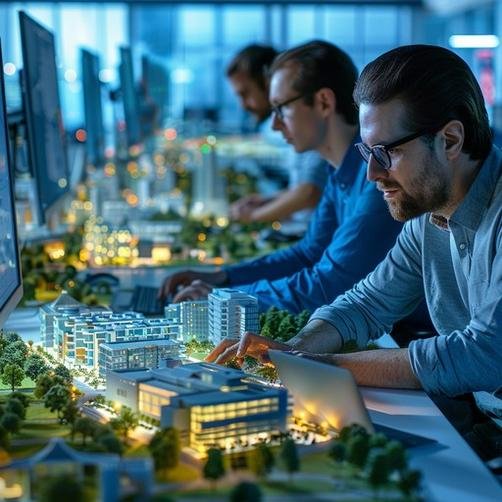
Creating those impressive 3D การเรนเดอร์สถาปัตยกรรม visuals or intricate การแสดงภาพสถาปัตยกรรม – 3ภาพเคลื่อนไหว isn’t just a click of a button. It’s a structured process that transforms an initial idea into a polished, impactful final product. Think of it like an orchestra conductor, where each step (instrument) plays its part to create a harmonious and beautiful result.
ขั้นตอน 1: Conceptualization and Research – Understanding the Vision
This is where it all begins. Before any modeling or rendering starts, it’s crucial to deeply understand the project and its goals.
- Gathering Information: Architects and visualizers should start by collecting as much information about the project as possible. This often involves detailed client interviews to understand their needs, preferences, and the desired emotional impact of the visuals.
- Contextual Research: Researching the site, สภาพแวดล้อมโดยรอบ, local architectural styles, and target audience helps ensure the design and its visualization will be appropriate and effective. This foundational understanding is key to all subsequent เทคนิคการสร้างภาพสถาปัตยกรรม.
ขั้นตอน 2: Ideation and Design Development (Structure & Space Planning)
With a solid understanding from the research phase, the creative brainstorming and initial design development can begin.
- Brainstorming Ideas: Designers and visualizers can then brainstorm various ideas and concepts for the architectural design and its visual representation, based on what they have learned from their research and client discussions.
- Structure and Space Planning: After conceptualizing the core idea, it’s time to figure out how best to structure the building and utilize the available space effectively. This involves considering aspects such as circulation paths for an architectural walkthrough animation, optimal furniture arrangements for interior renderings, specific lighting requirements, มุมมอง, และฟังก์ชั่นโดยรวม.
ขั้นตอน 3: 3D Modeling and Scene Setup – Building the Digital World
This is where the design starts to take three-dimensional form in the digital realm. It’s a critical step for any 3สถาปัตยกรรมแอนิเมชั่น or still rendering.
- Drafting and Building the Model: Using specialized 3D modeling software (as discussed in our Digital Toolkit section), the visualizer meticulously constructs a digital representation of the building, ภายใน, or landscape.
- Focusing on Details: Accuracy is key. This includes modeling architectural elements, structural components, and even surrounding context like terrain or adjacent buildings.
- Environment Mood and Camera Angles: During this stage, initial decisions are made about the overall mood of the environment (เช่น, วันแดด, dramatic twilight) and preliminary camera angles are chosen for the final images or animation paths. These choices heavily influence the การแสดงผลคำจำกัดความของสถาปัตยกรรม of the scene.

ขั้นตอน 4: Texturing and Lighting – Adding Realism and Atmosphere
An untextured, unlit 3D model can look quite plain. This step is all about breathing life and realism into the digital scene.
- Applying Realistic Textures: Visualizers meticulously apply digital textures to all surfaces in the 3D model to simulate real-world materials – the grain of wood, the roughness of brick, the sheen of stone, the transparency of water, the look of furniture fabrics, and other objects. This brings the scene to life.
- Setting up Lighting: This is a critical artistic and technical step. Virtual lights (simulating sunlight, skylight, and artificial fixtures) are strategically placed and configured to achieve the desired illumination, create realistic shadows, and establish the overall mood of the scene.
- Adjusting Material Properties: Fine-tuning how materials react to light is essential. This includes adjusting an object’s specular highlight (shininess), reflections, bump mapping (simulated surface texture), and self-illumination settings (if any parts of an object glow) until its appearance is both believable and aesthetically pleasing. Advanced materials like glass or polished metal require particular precision when setting up lights due to their highly reflective properties.
ขั้นตอน 5: Rendering the Scene – Generating the Visual Output
This is the computational “heavy lifting” part, where the computer takes all the information from the 3D scene (โมเดล, พื้นผิว, ไฟ, camera settings) and generates the final 2D image or a sequence of images for an animation.
- The Rendering Process: Using specialized rendering software or engines, the scene is processed. This can take anywhere from a few minutes to many hours per image, depending on the complexity of the scene, คุณภาพที่ต้องการ, and the power of the computer hardware.
- Considering Rendering Methods: Different rendering techniques might be employed. ตัวอย่างเช่น, ray tracing algorithms are often used for highly realistic effects, accurately simulating how light rays travel and interact with surfaces to create advanced reflections, refractions, และเงา, adding significant depth to any scene. Other methods like global illumination ensure accurate lighting simulations, while ambient occlusion produces more natural-looking contact shadows.
ขั้นตอน 6: Post-Production and Refinement – The Final Polish
The raw output from the rendering engine is often just the starting point for the final image. Post-production is where artists add the final touches to make the visuals truly shine.
- Fine-tuning in Image Editing Software: Using programs like Adobe Photoshop, visualizers will adjust colors, contrast, brightness, and sharpness to enhance the image.
- Adding Effects and Entourage: This stage might involve adding atmospheric effects (like fog or lens flares), compositing in images of people or vegetation to add scale and life, or blending the rendered building into a photographic background.
- Ensuring High-Quality Results: The goal of post-production is to ensure the final visuals are polished, impactful, and perfectly aligned with the project’s communication objectives, whether it’s a still การเรนเดอร์สถาปัตยกรรมเชิงพาณิชย์ or frames for an การแสดงภาพสถาปัตยกรรม – 3d animation.
By meticulously following these steps, architects and visualizers can ensure that their creative visions become compelling realities, effectively communicating design intent and captivating audiences with stunning results from a variety of เทคนิคการสร้างภาพสถาปัตยกรรม.
Overcoming Challenges and Maximizing Quality in การแสดงภาพสถาปัตยกรรม
While modern เทคนิคการสร้างภาพสถาปัตยกรรม offer incredible power and potential, the path from concept to stunning final visual isn’t always without its hurdles. Understanding common challenges and adopting best practices is key to achieving top-quality results efficiently.
Common Challenges in การแสดงภาพสถาปัตยกรรม
Even seasoned professionals encounter obstacles. Here are some of the main challenges associated with this type of work:
- Technical Complexity: Creating high-quality visualizations requires a deep understanding of complex 3D modeling and rendering software, as well as a solid grasp of principles related to physical space, light interaction, material properties, and camera work. The learning curve for these tools can be steep.
- Balancing Time Constraints vs. Detail Level: Clients often need visuals quickly, but achieving a high level of detail and realism takes time. Finding the right balance to meet deadlines without sacrificing quality is a constant challenge, especially for intricate 3สถาปัตยกรรมแอนิเมชั่น.
- Achieving True Photorealism: While software has advanced tremendously, making a render look truly indistinguishable from a photograph still requires immense skill, attention to subtle details, and an artistic eye. ที่ “uncanny valley” can be hard to overcome.
- Software and Hardware Costs: Professional-grade 3D modeling and rendering software, along with the powerful computer hardware needed to run it efficiently (especially for rendering complex scenes or animations), can represent a significant financial investment.
- Keeping Up with Evolving Technology: The ArchViz field is dynamic, with new software versions, rendering techniques, plugins, and hardware advancements emerging constantly. Staying current requires ongoing learning and adaptation.
- Effective Client Communication and Managing Expectations: Translating a client’s abstract ideas or preferences into a concrete visual, and then managing their feedback and expectations throughout the iterative process, requires excellent communication and project management skills. ที่ การแสดงผลคำจำกัดความของสถาปัตยกรรม of “perfect” can vary!
Tips for Achieving High-Quality Architectural Visualizations
Have you ever wondered what it takes to create an exceptional architectural image or a captivating architectural walkthrough animation? It’s a blend of art and science. Whether for stunning presentations or critical design decisions, following these tips can significantly elevate the quality of your work:
- Clearly Understand the Purpose and Goals: Before starting any work, have a crystal-clear vision of what the visualization needs to achieve. Is it for marketing การเรนเดอร์สถาปัตยกรรมเชิงพาณิชย์? Is it a conceptual piece for internal review? Is it an immersive คำแนะนำแบบ VR ทางสถาปัตยกรรม for client engagement? Each purpose will require a unique approach.
- Research Existing Technologies and Best Practices: Stay informed about the latest 3D modeling software, real-time rendering engines, and post-production techniques. Understanding current best practices for your particular type of project is crucial.
- Master Lighting Principles and Camera Composition: As discussed earlier, lighting is paramount. Develop a strong understanding of how natural and artificial light behave. ในทำนองเดียวกัน, learn the principles of good camera composition to create visually appealing scenes that effectively guide the viewer’s eye and highlight the best aspects of the design.
- Utilize High-Quality Assets and Dedicated Tools: Don’t skimp on the building blocks. Use high-quality 3D models, พื้นผิว, and entourage (ประชากร, พืชพรรณ, เป็นต้น). Take advantage of dedicated tools or plugins designed specifically for virtual architecture and modeling, as these can save time while providing greater control over elements like materials, บรรยากาศ, and background landscapes.
- Pay Meticulous Attention to Detail: The difference between a good render and a great one often lies in the subtle details – the way light reflects off a surface, the slight imperfections in a material, the careful placement of objects. This applies to all เทคนิคการสร้างภาพสถาปัตยกรรม.
- Iterate and Seek Feedback: Don’t expect to get it perfect on the first try. Create drafts, seek feedback from clients or peers, and be prepared to iterate on your design and visuals.
- Continuously Learn and Practice: The more you practice and experiment, the better your skills will become. Follow tutorials, study the work of leading visualizers, and always be open to learning new things.
By incorporating these tips into every stage of development, architects and designers can ensure they deliver high-quality visualizations that make a maximum impact, truly capturing viewers’ attentions!
The Importance of Collaboration with 3D Visualization Experts
While architectural visualization software provides incredibly powerful tools, sometimes the best way to achieve top-quality, professional results, especially for complex projects or when in-house expertise is limited, is to partner with an experienced team of 3D visualization experts or a specialized studio offering 3d บริการแนะนำแบบสถาปัตยกรรม.
- Access to Specialized Knowledge and Skills: Partnering with experts allows architects and designers to tap into years of industry knowledge, advanced technical skills, and artistic talent specifically honed for visualization.
- Focus on Core Design Work: Outsourcing complex rendering tasks enables architects to concentrate on their primary design responsibilities, leaving the creation of photorealistic visualizations or detailed การแสดงภาพสถาปัตยกรรม – 3ภาพเคลื่อนไหว in capable hands.
- Staying Ahead with Latest Technologies: Expert teams are typically up-to-date on the very latest software, rendering techniques, and hardware, allowing them to produce cutting-edge visuals efficiently.
- Guidance on Best Practices: Experienced visualizers can also provide valuable guidance on best practices for aspects like lighting, การทำพื้นผิว, animation choreography, and effective post-production, ensuring the final product is as impactful as possible.
- Choosing the Right Partner is Key: When looking to collaborate, it’s important to review portfolios carefully, look for demonstrated expertise in the specific เทคนิคการสร้างภาพสถาปัตยกรรม you need (เช่น, still 3D การเรนเดอร์สถาปัตยกรรม, ความเคลื่อนไหว, VR), check for relevant project experience, and seek out strong client testimonials.
With the right visualization partner, architects can confidently bring their most ambitious visions to life at the highest level of quality, creating visuals that truly do justice to their designs.

Cost Factors in การแสดงภาพสถาปัตยกรรม โครงการ
Creating high-quality 3D การเรนเดอร์สถาปัตยกรรม, มีรายละเอียด แอนิเมชั่นการสร้างภาพสถาปัตยกรรม, or immersive คำแนะนำแบบ VR ทางสถาปัตยกรรม experiences involves an investment. Understanding the various factors that contribute to the cost of architectural visualization is crucial for budgeting and ensuring you get the best value for your project.
Understanding What Influences the Cost of Visualization Services
The price of professional architectural visualizations isn’t arbitrary; it reflects the resources, skills, and time required to produce compelling and accurate visuals. Here are the main elements that can significantly influence the overall cost:
| Cost Factor | How it Influences เทคนิคการสร้างภาพสถาปัตยกรรม & การกำหนดราคา (เช่น, สำหรับ 3d บริการแนะนำแบบสถาปัตยกรรม) |
|---|---|
| Project Scope & ความซับซ้อน | The intricacy of the architectural design itself plays a major role. A simple residential exterior with straightforward geometry will naturally cost less to visualize than a highly detailed, complex commercial building with unique structural elements or a sprawling urban masterplan. More elements mean more modeling and rendering time. |
| ระดับรายละเอียด (ลอด) Required | The desired level of realism directly impacts cost. Creating hyperrealistic 3D การเรนเดอร์สถาปัตยกรรม with minute details in textures, bespoke furnishings, complex material shaders, and extensive entourage (ประชากร, พืชพรรณ, ยานพาหนะ) demands significantly more modeling, การทำพื้นผิว, and rendering time than conceptual or lower-LOD images. |
| Number of Views / Deliverables | The quantity of final outputs is a primary cost driver. Each unique rendered still image, each second of an สถาปัตยกรรมแอนิเมชัน 3 มิติ, or each distinct viewpoint in an คำแนะนำแบบ VR ทางสถาปัตยกรรม adds to the workload. A comprehensive package of multiple views will cost more than delivering a single hero image. |
| ซอฟต์แวร์ & Hardware Resources | The creation of professional visualizations relies on specialized, often expensive, software licenses for 3D modeling, rendering engines, and post-production tools. นอกจากนี้, high-performance computing hardware (powerful CPUs, GPUs, and ample RAM) is necessary for efficient rendering, and the operational costs of these resources contribute to the service price. |
| Skilled Personnel / Artist Expertise | The skill and experience level of the architectural visualizers involved are key factors. Highly experienced artists with a strong portfolio, specialized skills (เช่น, in creating dynamic การแสดงภาพสถาปัตยกรรม – 3ภาพเคลื่อนไหว or complex lighting scenarios), and a proven track record typically command higher rates, reflecting their expertise and the superior quality they can deliver. |
| Asset Acquisition & การสร้าง | If specific 3D models (เช่น, particular high-end furniture pieces, unique vehicle models, specialized vegetation) or custom textures are required and are not available in standard libraries, there will be costs associated with purchasing these assets or the time taken to create them from scratch. |
| Revisions & Feedback Cycles | The number of revision rounds included in the initial project scope and quote can affect the price. While some level of feedback and minor adjustments is usually anticipated, extensive changes or multiple iterations outside the agreed-upon scope may incur additional charges due to the extra work involved. |
| Turnaround Time & Deadlines | Urgent projects that require an expedited delivery schedule or necessitate overtime work from the visualization team will typically have a higher price tag to compensate for the increased pressure and accelerated resource allocation needed to meet tight deadlines. |
| Usage Rights & Licensing of Final Images/Animations | The intended use of the final visualizations can also influence the cost. Broader usage rights, such as for a widespread international marketing campaign for การเรนเดอร์สถาปัตยกรรมเชิงพาณิชย์, may involve different licensing fees compared to visuals intended solely for internal design review or a local presentation. |
นอกจากนี้, any external resources used in production, such as professional photography for backplates, specialized rendering farm services for very large animations, or fees for specific data acquisition, need to be factored into the total cost of completion. If extensive team collaboration and project management are required for a large-scale visualization project, these overhead costs might also be accounted for.
Balancing Budget with Quality for Optimal Results
While cost is an important consideration, it’s also crucial to balance it with the desired quality and impact of your architectural visualizations.
- Clearly Define Project Requirements: The more detailed and specific your initial brief is, the more accurate the quotes you receive will be. Clearly outline the deliverables, ระดับรายละเอียด, desired style, and intended use.
- Discuss Different Options: Don’t hesitate to discuss different levels of detail or alternative เทคนิคการสร้างภาพสถาปัตยกรรม with potential providers. They might be able to suggest more cost-effective approaches that still meet your core objectives. ตัวอย่างเช่น, a series of well-crafted still images might be more budget-friendly than a full architectural walkthrough animation if the primary goal is to showcase key design features for a brochure.
- Invest Wisely: Remember that high-quality architectural visualizations are an investment that can significantly impact client perception, marketing success, and even the efficiency of the design and construction process by catching errors early. บางครั้ง, opting for the cheapest option might not yield the best long-term value.
By understanding these cost factors, you can better plan your budget and effectively communicate your needs to visualization professionals, ensuring you achieve high-quality results that align with your financial parameters. For more in-depth pricing discussions, some firms offer detailed breakdowns of costs per type of rendering, เช่น “Architectural Renderings Or 2D Architectural Illustration [ตัวอย่าง]” which can be a useful reference.

The Future of เทคนิคการสร้างภาพสถาปัตยกรรม: แนวโน้มและเทคโนโลยีที่เกิดขึ้นใหม่
The world of architectural visualization is anything but static! It’s a rapidly evolving field, constantly being reshaped by groundbreaking technological advancements and shifting creative approaches. อนาคตสัญญาว่าจะดื่มด่ำยิ่งขึ้น, เหมือนจริง, and efficient ways to bring architectural designs to life, impacting everything from initial 3d การเรนเดอร์สถาปัตยกรรม ซับซ้อน การแสดงภาพสถาปัตยกรรม – 3ภาพเคลื่อนไหว.
ความจริงเสมือน (VR) และความเป็นจริงเสริม (อาร์): Deepening Immersive Design Exploration
VR and AR are no longer just concepts from science fiction; they are becoming increasingly integral เทคนิคการสร้างภาพสถาปัตยกรรม, offering unparalleled levels of immersion and interaction.
- ความจริงเสมือน (VR): VR provides a truly immersive environment, ช่วยให้สถาปนิก, นักออกแบบ, and clients to “ก้าวเข้าไปข้างใน” and explore their designs within a fully rendered 3D space. This is invaluable for understanding spatial relationships, มาตราส่วน, and details that would otherwise be impossible to grasp from 2D drawings or even static 3D images. The ability to create a compelling คำแนะนำแบบ VR ทางสถาปัตยกรรม is a game-changer for client presentations and design reviews.
- ความเป็นจริงที่เพิ่มขึ้น (อาร์): AR technology takes digital information and integrates it into our view of the physical world in real time. For architecture, this means you could use a tablet or AR glasses to see a 3D model of a proposed building superimposed onto the actual construction site, or visualize how different furniture options would look within an existing physical room. This is proving to be an invaluable asset for on-site visualization, client communication, and even aiding construction processes. Examples like Amazon’s Virtual Try-On for Shoes and experiments with AR for furniture shopping highlight its growing mainstream adoption. Devices like Microsoft HoloLens2 or HTC Vive Pro Eye are pushing the boundaries of AR experiences.
- ผลกระทบ: Both VR and AR empower clients to become more engaged with the design process, providing more informed feedback and allowing for quicker, more confident decision-making. They help eliminate costly mistakes by allowing for thorough exploration before construction begins.

ปัญญาประดิษฐ์ (AI): เพิ่มความสมจริง, ประสิทธิภาพ, and Creativity
Artificial Intelligence is poised to revolutionize many aspects of architectural visualization, making processes smarter, faster, and capable of achieving new levels of realism and creative exploration.
- Improving Photorealism: AI algorithms are being developed to enhance the photorealistic aspects of renderings, ตัวอย่างเช่น, by intelligently generating realistic textures, populating scenes with contextually appropriate entourage, or refining lighting and shadow details.
- Enabling Real-Time Fidelity: AI could play a crucial role in allowing clients to preview projects and make design decisions in real-time with ultimate visual fidelity, streamlining the iterative design process.
- Integration into Existing Tools: Many existing software tools are already incorporating AI features for tasks like denoising rendered images (removing graininess), upscaling image resolution, or providing more accurate simulations of real-world object behavior and material properties.
- Future Potential: The horizons for AI in ArchViz are vast. We might see AI assisting with automated scene composition, intelligent material creation, generative design based on visual parameters, or even style transfer to quickly apply different artistic เทคนิคการสร้างภาพสถาปัตยกรรม to a model.
Real-Time Rendering Engines: Accelerating Workflows and Decision-Making
The demand for speed and interactivity continues to drive innovation in real-time rendering engines. These tools are becoming increasingly powerful and capable of producing high-quality visuals on the fly.
- การวนซ้ำที่เร็วขึ้น: Real-time rendering allows architects and designers to see the impact of their design changes almost instantaneously, dramatically speeding up the iterative design cycle.
- Enhanced Collaboration: The ability to explore and modify designs interactively in real-time makes for much more dynamic and productive collaboration sessions with clients and team members. This is particularly powerful for developing an architectural walkthrough animation collaboratively.
- Improving Quality: While previously there might have been a trade-off between speed and quality, modern real-time engines are increasingly capable of delivering visuals that approach the quality of traditional offline rendering, especially with technologies like real-time ray tracing.
Cloud Rendering Services: Boosting Accessibility and Computational Power
Rendering complex scenes, especially for high-resolution still images or long สถาปัตยกรรมแอนิเมชัน 3 มิติ ลำดับ, requires significant computational power. Cloud rendering services offer a solution to this challenge.
- Offloading Intensive Tasks: Services like Chaos Cloud allow architects and visualization studios to send their rendering jobs to powerful external servers in the cloud.
- ประโยชน์: This frees up local workstations, significantly reduces rendering times (as many machines can work on the job simultaneously), and allows firms to meet tight deadlines without investing in massive in-house render farms. It makes high-end rendering more accessible, regardless of local hardware limitations.
Advanced Computer Graphics Techniques: Continuously Pushing the Boundaries of Detail
The quest for ever-greater realism and visual sophistication is a constant in the ArchViz world. We can expect to see ongoing improvements in:
- Lighting Simulation: Even more accurate and nuanced simulation of natural and artificial light, including complex phenomena like caustics and atmospheric scattering.
- Material Realism: Development of more sophisticated shaders and material models that can replicate virtually any real-world surface with incredible fidelity.
- Environmental Effects: More convincing and dynamic simulation of weather, atmospheric conditions, and natural environmental elements like water and vegetation.
Potential Spill into the Metaverse: New Horizons for เทคนิคการสร้างภาพสถาปัตยกรรม
As persistent, interconnected virtual worlds (often referred to as the Metaverse) continue to develop, the skills and เทคนิคการสร้างภาพสถาปัตยกรรม honed in creating renderings and animations for the built environment will become increasingly relevant.
- Designing Virtual Spaces: Architects and visualizers will be instrumental in designing and building the virtual architecture and environments within these new digital realms.
- New Opportunities: This could unlock entirely new horizons for the industry, allowing for the creation of interactive, experiential digital twins of real places, or entirely fantastical virtual structures. The principles of creating compelling 3D การเรนเดอร์สถาปัตยกรรม and engaging คำแนะนำแบบ VR ทางสถาปัตยกรรม experiences will be directly applicable.
The future of เทคนิคการสร้างภาพสถาปัตยกรรม is undoubtedly bright, driven by technological innovation and an ever-increasing demand for clear, มีส่วนร่วม, and immersive ways to experience architectural design before it becomes reality.

บทสรุป: The Indispensable Role of เทคนิคการสร้างภาพสถาปัตยกรรม in Modern Design and Beyond
As we’ve journeyed through the diverse and dynamic world of เทคนิคการสร้างภาพสถาปัตยกรรม, one thing has become abundantly clear: these methods are no longer a mere luxury but an absolute cornerstone of modern architectural practice, real estate development, and a surprising array of related industries. From the foundational clarity of 2D drawings to the breathtaking realism of 3D การเรนเดอร์สถาปัตยกรรม, and onward to the immersive power of แอนิเมชั่นการสร้างภาพสถาปัตยกรรม และ คำแนะนำแบบ VR ทางสถาปัตยกรรม experiences, ArchViz has fundamentally transformed how we conceive, communicate, and construct our built environments.
สรุป: Transforming Imagination into Tangible, Persuasive Reality
We’ve seen how a vast spectrum of เทคนิคการสร้างภาพสถาปัตยกรรม caters to every conceivable project need and communication goal. Whether it’s employing detailed การเรนเดอร์สถาปัตยกรรมเชิงพาณิชย์ to secure investment, crafting engaging 3สถาปัตยกรรมแอนิเมชั่น to tell a project’s story, or offering cutting-edge 3d บริการแนะนำแบบสถาปัตยกรรม for unparalleled client engagement, the power to translate abstract ideas into compelling, understandable visuals is immense. The core การแสดงผลคำจำกัดความของสถาปัตยกรรม itself has expanded to encompass not just static images but a whole universe of interactive and dynamic media.
The Synergy of Art, เทคโนโลยี, and Communication in ArchViz
The most successful เทคนิคการสร้างภาพสถาปัตยกรรม are born from a beautiful synergy. They require not only mastery of sophisticated software and cutting-edge technology but also a keen artistic eye for composition, การส่องแสง, และการเล่าเรื่อง. It’s this blend of technical prowess and creative sensibility that allows visualizers to craft images and experiences that resonate deeply, inform clearly, and inspire action. ในขณะที่เทคโนโลยีมีการพัฒนาอย่างต่อเนื่อง, so too will the artistic possibilities, pushing the boundaries of what can be visually achieved in fields like การแสดงภาพสถาปัตยกรรม – 3ภาพเคลื่อนไหว.
ความคิดสุดท้าย: เทคนิคการสร้างภาพสถาปัตยกรรม as a Catalyst for Innovation and Success
Looking ahead, the trajectory of เทคนิคการสร้างภาพสถาปัตยกรรม is undeniably exciting. With advancements in AI, การเรนเดอร์แบบเรียลไทม์, and immersive technologies like VR and AR, the ability to create ever-more realistic, โต้ตอบ, and insightful visualizations will only grow. These tools empower architects to design more effectively, enable developers to market more persuasively, and allow clients to connect with future spaces in ways previously unimaginable, such as through a detailed architectural walkthrough animation.
ในที่สุด, the mastery and strategic application of diverse เทคนิคการสร้างภาพสถาปัตยกรรม—from static 3D การเรนเดอร์สถาปัตยกรรม to dynamic สถาปัตยกรรมแอนิเมชัน 3 มิติ and beyond—are crucial for anyone involved in shaping our physical world. They are catalysts for innovation, enablers of clear communication, and powerful drivers of project success. As we continue to build the future, these visual languages will be more critical than ever in ensuring those futures are not just functional, but also beautiful, inspiring, and deeply understood by all.